Learn How to Build Courses Like a Pro

New to course creation?
Start with our free video-based courses in the LearnWorlds Academy and master the fundamentals of creating engaging, structured learning experiences.
Write your awesome label here.

Meet the Course Manager
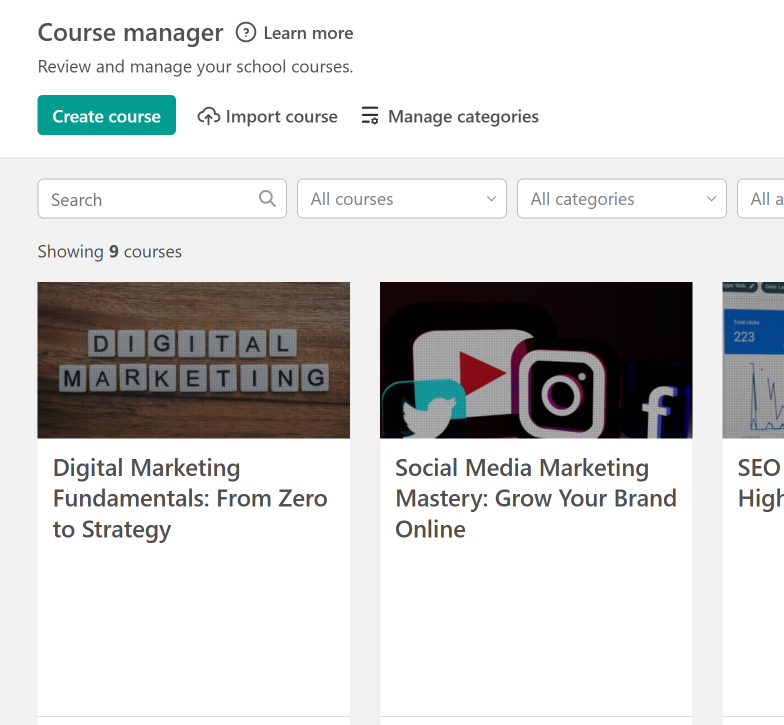
  • Your mission control for course creation

    Your central hub for everything course-related.
    From here, you can:
  • Create new courses
  • Reorder your course list
  • Clone, or delete courses
  • Access and manage all existing content

Inside the Course Editor

Build Your Curriculum

Each course is made up of sections and learning activities, managed from the Course Outline menu. Here's a breakdown of what you can include:

Interactive Video

Make videos more engaging by adding:

  • Buttons & text overlays
  • In-video questions & quizzes
  • Subtitles and interactive transcripts
  • Chapter navigation


E-books

Combine text, images, and video into a rich reading experience.

✨ Bonus: Add social learning elements - enable comments and collaboration inside the course, not just in the community.

Live sessions

Host live classes or coaching sessions via built-in integrations:

  • Zoom
  • Webex
  • Microsoft Teams
  • Google Meet
  • Calendly

Audio

Upload audio files for learners who prefer listening over reading or video.


Assessments

Choose from:
  • Exams & graded quizzes
  • Self-assessments (journals, reflection prompts)
  • Knowledge checks

Forms

Use form activities to:
  • Collect learner data
  • Request feedback
  • Run surveys or interest polls

Presentations

Upload PowerPoint or Open Document files to deliver information in a slide-based format.


Certificates

Reward learners with custom certificates

  • Based on course completion
  • Or triggered by a passed final exam


Embed anything

Drop in any external content using iframe embed code, including:
  • YouTube videos
  • SoundCloud audio
  • Google Forms
  • SlideShare, Prezi, and more

Pro Tip

Onboarding Your Learners

A great learning experience starts with confident learners.
In every course, especially in the first section, we recommend including a short onboarding video or eBook to help students get started smoothly.
What to include
  • How to navigate the Course Player

  • How to join course discussions

  • How to make the most of your school platform
 Use the LearnWorlds User Guide to create this content — it's a ready-made resource to help your learners feel at home from day one.

Customize & Reuse
  • Personalize the guide with your own branding, tone, or visuals

  • Add it to any course, your FAQ page, or onboarding emails

  • Once created, you can import this tutorial section into multiple courses - no need to start from scratch each time!

Interactive Learning: Engage, Motivate & Empower Your Learners

Today’s learners expect more than passive content. They want to engage, interact, collaborate, and reflect, and LearnWorlds gives you the tools to deliver just that. By mixing diverse formats and promoting active participation, you can create meaningful, impactful learning experiences that keep users coming back.
 

Make Your Videos Work Harder

With LearnWorlds’ Interactive Video Editor, your videos become more than just lectures; they become interactive journeys. You can add questions, notes, and buttons that prompt learners to engage directly with the content, while subtitles and interactive transcripts ensure accessibility and clarity. Learners stay active, involved, and on track as they navigate videos designed not just to be watched, but explored.


Blended learning formats

Great online learning experiences are never one-dimensional. By mixing video, text, audio, eBooks, downloadable PDFs, and embedded tools like Google Docs or whiteboards, you can serve different learning preferences and prevent fatigue. This variety keeps learners interested, encourages exploration, and allows for deeper comprehension, because not everyone learns best through a single format.


SCORM & H5P Activities

If you're using SCORM or H5P packages, you can easily incorporate them into your courses to deliver complex, interactive experiences such as branching scenarios, simulations, or gamified content. These pre-built learning objects allow for deeper interactivity and can be especially effective in more advanced or skill-based training programs.


Interactive Assessments

Assessments don't have to be limited to multiple choice. LearnWorlds allows you to include open-ended responses, image- and video-based questions, and even audio-recorded prompts. You can organize questions into sections, provide case studies with downloadable PDFs, or dictate questions via audio. Self-assessments are also a powerful tool, letting learners define their goals at the beginning of a course and reflect on their growth at the end through a journal activity. This makes the evaluation process more personal, meaningful, and empowering.


Social & collaborative activities

Interaction isn’t just about learner-to-content, it’s also about learner-to-learner. Enable discussion prompts directly within eBooks or video activities, or create social learning units where users are encouraged to respond to each other, share insights, or collaborate. This builds community inside your course and allows learning to grow organically through shared experiences and peer engagement.

More Tools in the Course Menu

Fine-Tune Every Detail

Course layout page

Quickly access the Site Builder to design your course’s overview page.

Each course automatically generates a landing page - customize it with text, images, videos, testimonials, and more.

General settings

Control how your course appears in your catalog:

  • Edit course title and subtitle
  • Choose a thumbnail image
  • Assign categories and tags
  • Set SEO metadata for search engines

Access tab

Define how and when users can access your course:
  • Course status: Free, Paid, Draft, Coming Soon, Enrollment Closed, or Private
  • Add course expiration dates
  • Customize after-purchase redirection

Pricing

Monetize your course with flexible options:
  • Set a fixed price
  • Create and manage discount coupons
  • Add the course to bundles
  • Offer payment plans (requires Stripe)

User progress

Control how learners move through your course:

Set completion rules (e.g., video viewed, quiz passed) to accurately track and report user progress

Course player tab

Personalize the look and behavior of the Course Player:
  • Choose themes and layout styles
  • Enable Sequential Navigation
  • Apply completion logic for structured learning paths

Video library

 Pro Tip

Before you add videos to your course activities, upload them first to your Video Library for easy reuse and streamlined management.

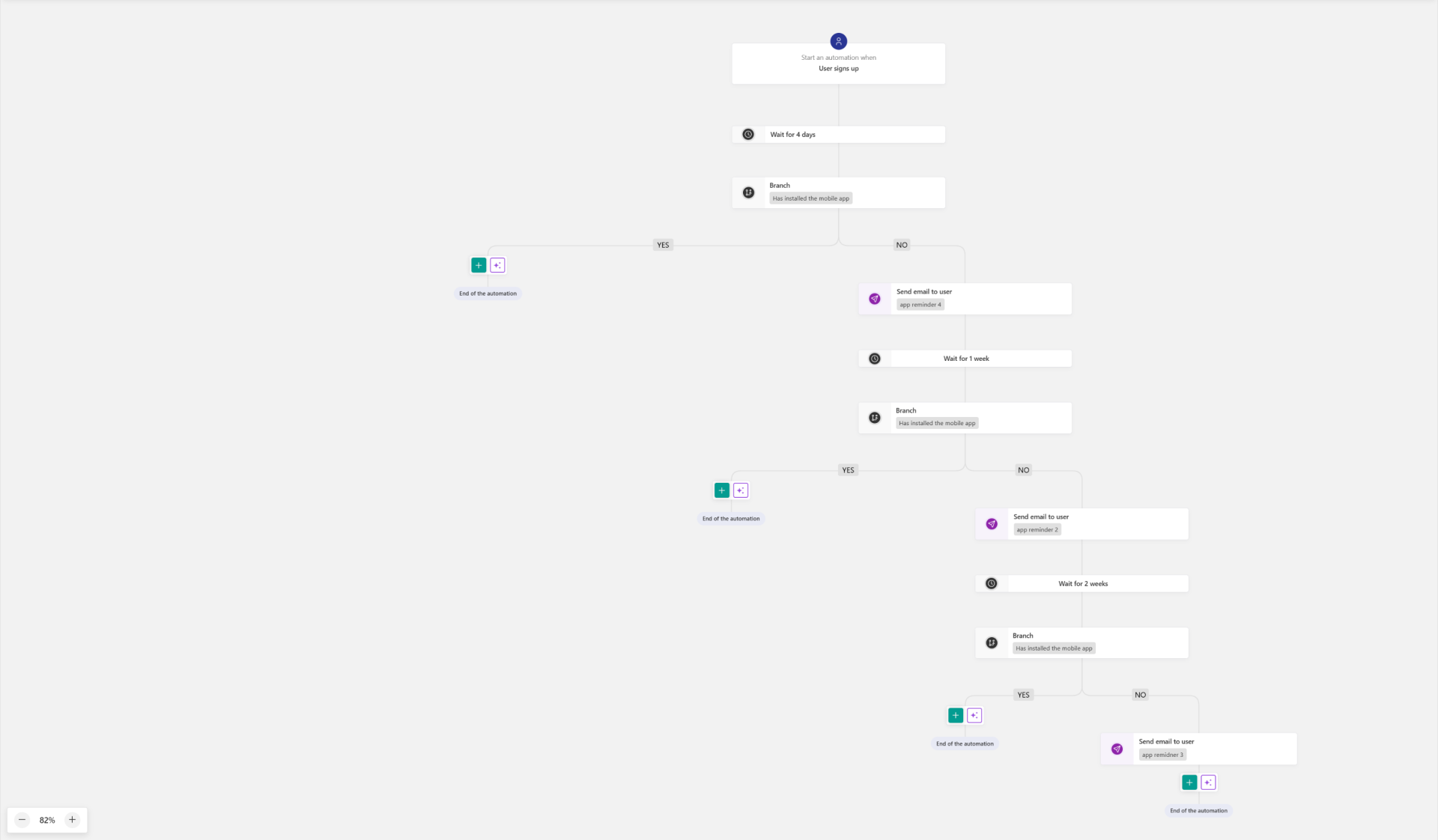
Automations

Build course-specific automations.

 Review the automations per course anytime without leaving the course authoring environment.

Write your awesome label here.

Streamline Course Creation & Management with AI

Creating and managing a course doesn't have to be time-consuming. With LearnWorlds' built-in AI tools, you can automate repetitive tasks, enhance your content, and scale your course operations - all while maintaining a personal touch.
Empty space, drag to resize

Here’s how you can use AI to work smarter at every step:

Create content
Enhance videos
Streamline assessments
Communicate with impact
Customize UX
🗂️ Generate a course outline based on your topic, audience, or goals

📖 Draft eBooks from scratch or based on your existing course material

📝 Instantly generate summaries, key takeaways, and persuasive texts
🌍 Add & translate subtitles to make your videos accessible and multilingual

🧠 Insert interactive elements like questions, notes, or CTAs using AI suggestions

🗣️ Save time while improving learner engagement
✅ Generate quizzes and exams based on other course content (like videos or eBooks)

💬 Use AI to provide feedback and grade open-ended responses or journals

  Learners can chat with AI after an exam to review answers, ask questions, and get resources. 
📧 Draft onboarding or course reminder emails tailored to your learners

💡 Create emails for milestones, promotions, or engagement follow-ups in no time

 Boost learner reflection with follow-up prompts that encourage deeper answers. 
✍️ Edit and personalize copy on your Course Layout page

🧭 Guide learners with well-crafted, on-brand messaging across your content and pages

Course Insights: Understand & Optimize the Learning Experience
Tracking what happens inside your course is just as important as building it. LearnWorlds offers a comprehensive suite of tools to help you analyze learner activity, measure success, and continuously improve your content.
Dashboard

Get a high-level snapshot of your course performance. A perfect starting point for quick status checks.
Course insights

Key performance metrics i.e. completion rates, time spent, drop-off points. Understand how learners engage and where they may need support.
AI course insights

Leverage AI to generate custom insights based on your course data. Great for identifying trends and uncovering hidden opportunities.
Activity matrix

A visual breakdown of learner engagement per course activity. Perfect for tracking individual progress at a glance.
Users tab

Filter and segment learners, view completion & progress stats & export progress reports for offline analysis
Certificates

View, manage, and edit certificates issued for the course.

Gradebook

See individual and average grades and manage scores
Export the full gradebook as needed
Pending reviews

Provide direct feedback and grades, keeping the learning loop active.
Course forms

See & export responses for analysis or follow-up
Great for feedback, surveys
Created with