Make Your School Private

Keep your academy hidden, secure access, and onboard only approved learners.
Write your awesome label here.

Lock signup and website settings

Restrict Sign Ups

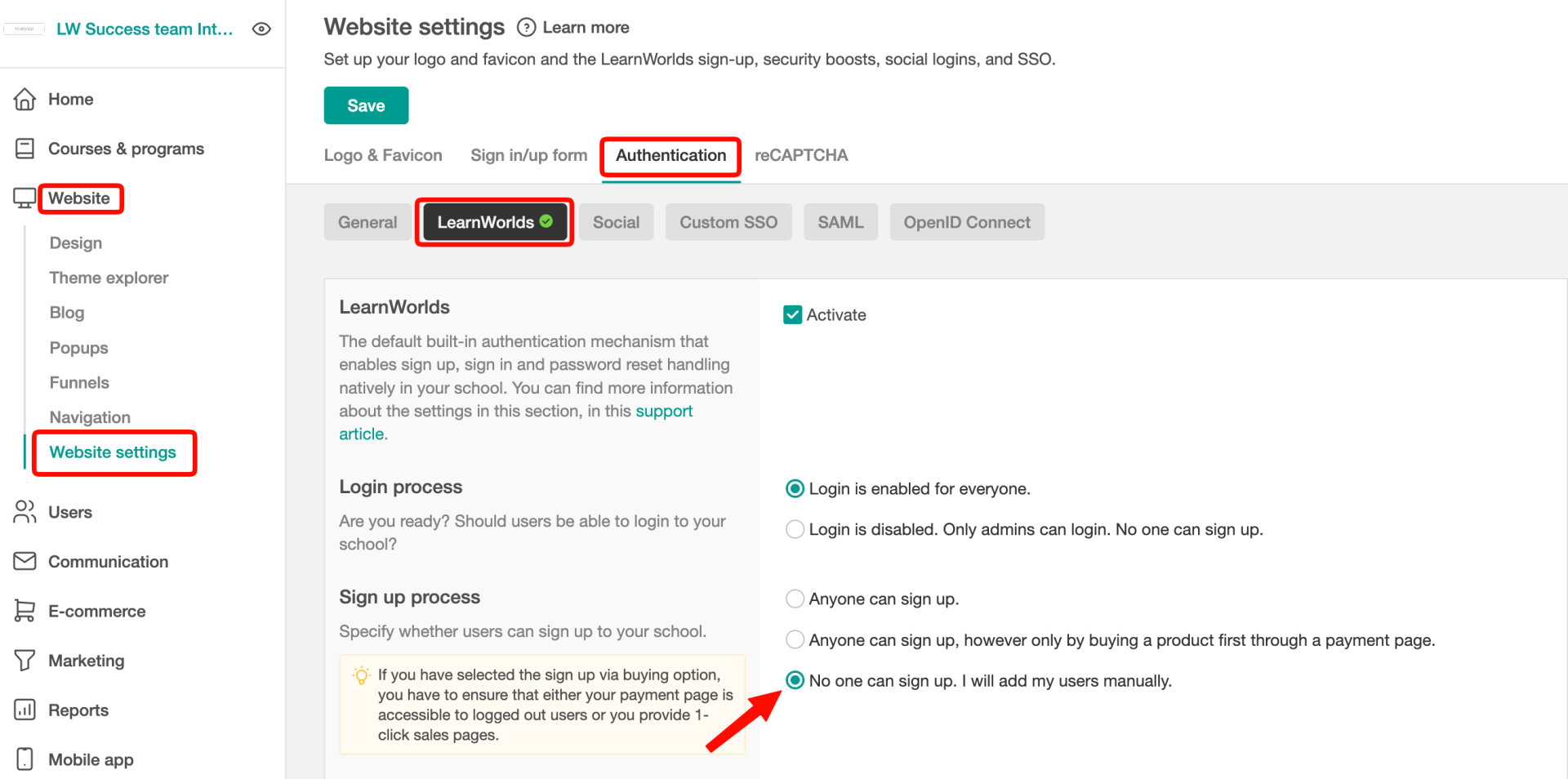
In your Sign up settings, you could select the option "No one can sign up. I will add my users manually." in case you are looking to manually import users.
Disable Social Logins

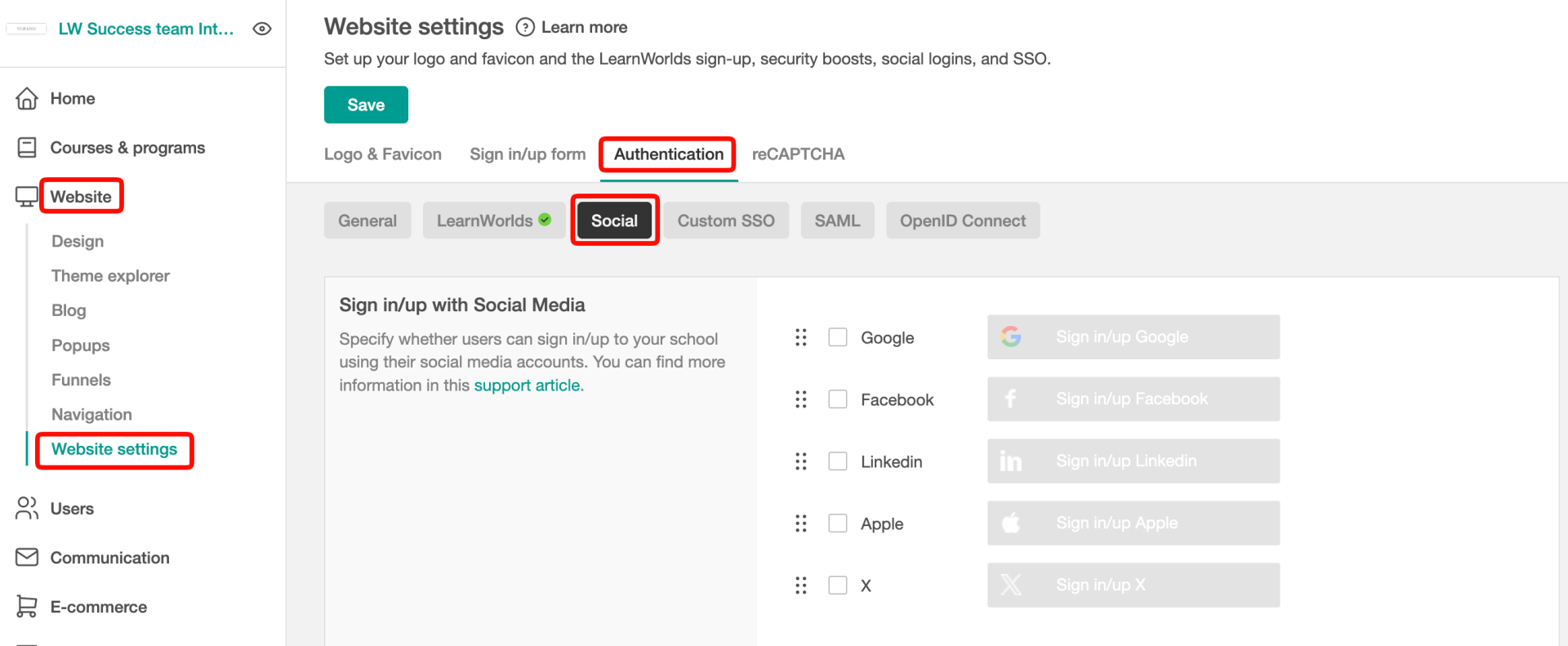
Make sure to also disable the Social Logins from the Authentication -> Social tab.
Exclude Your Website from Google's index

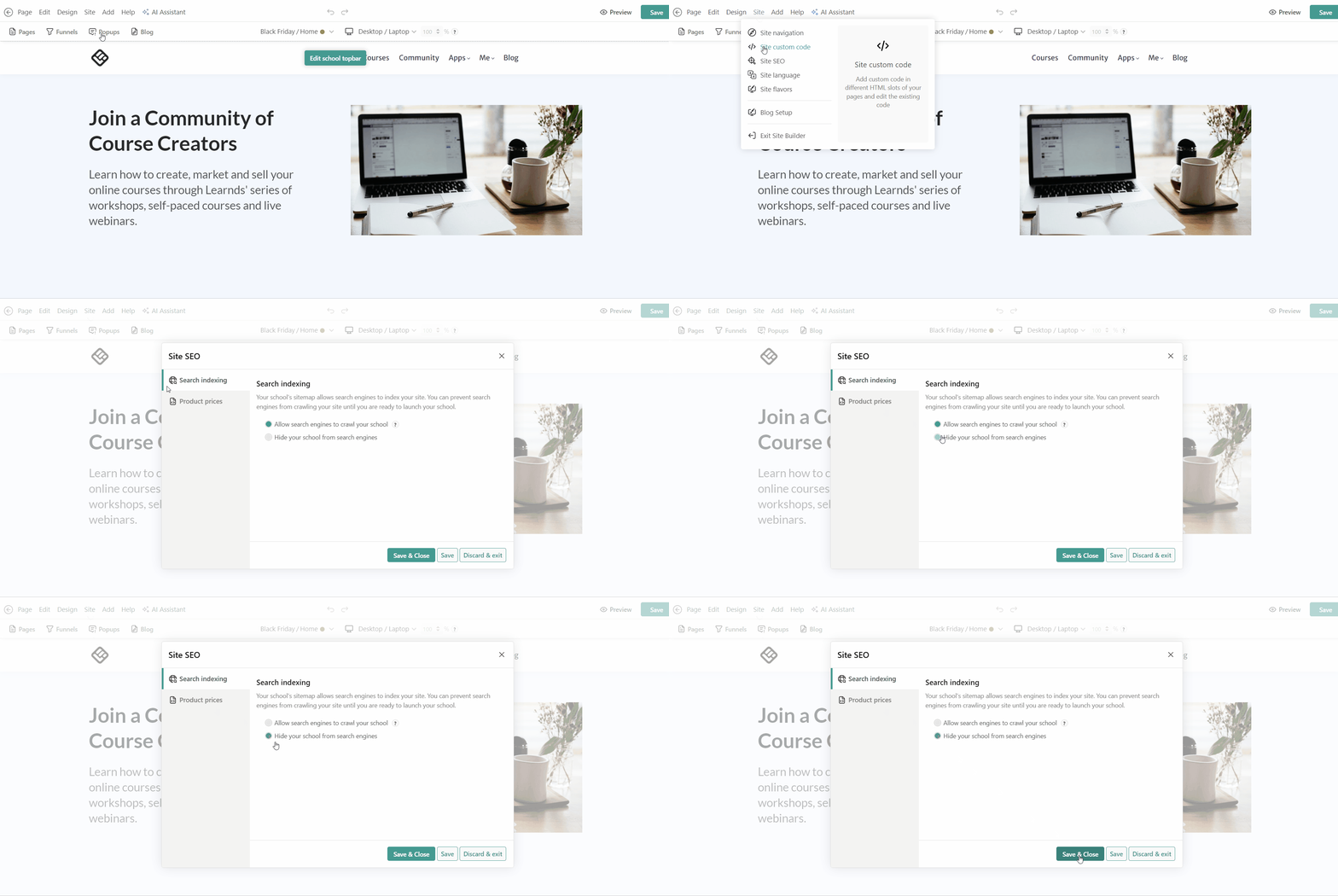
To stop search indexing for your school, navigate to Website → Design → Edit website → Site → Site SEO. Under Search indexing, choose the "Hide your school from search engines" option.
  • Useful when you want to make your website hidden from search results

Hide System pages

There are certain pages in your school that, by default, cannot be deleted or set to draft. These are: 
  • System Pages (Home, After Login, Payment, Courses, Cookie Policy, Privacy, Terms & Conditions, Thank you)
  • Product pages (Course, Bundle, and Subscription pages), unless your courses are Private.
  • Affiliates pages, if you have enabled this feature.
  • Blog Home Page, if you have enabled the Blog feature.
Empty space, drag to resize
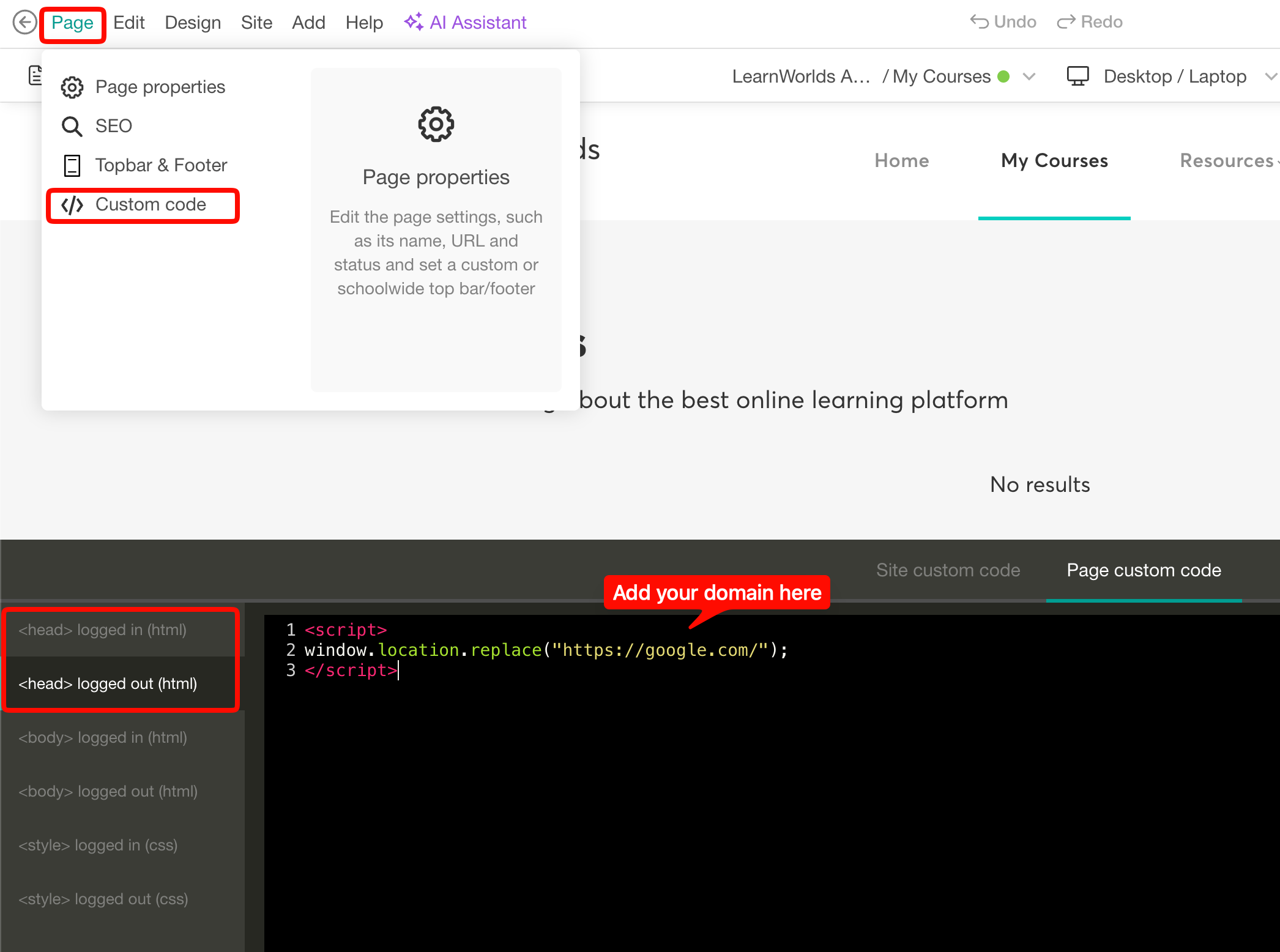
On those, you can add the below custom code to redirect any logged-in or logged-out user to the home page or any other page you wish. The code should be added to the specific page's custom code, head logged in and logged out slot:

User sign-in journey

Consider the following option about "How users will gain access to the school".

SSO & Sign up

Utilise SSO (Single Sign-On) if you have an existing platform. Employees can easily access the school using their current credentials.
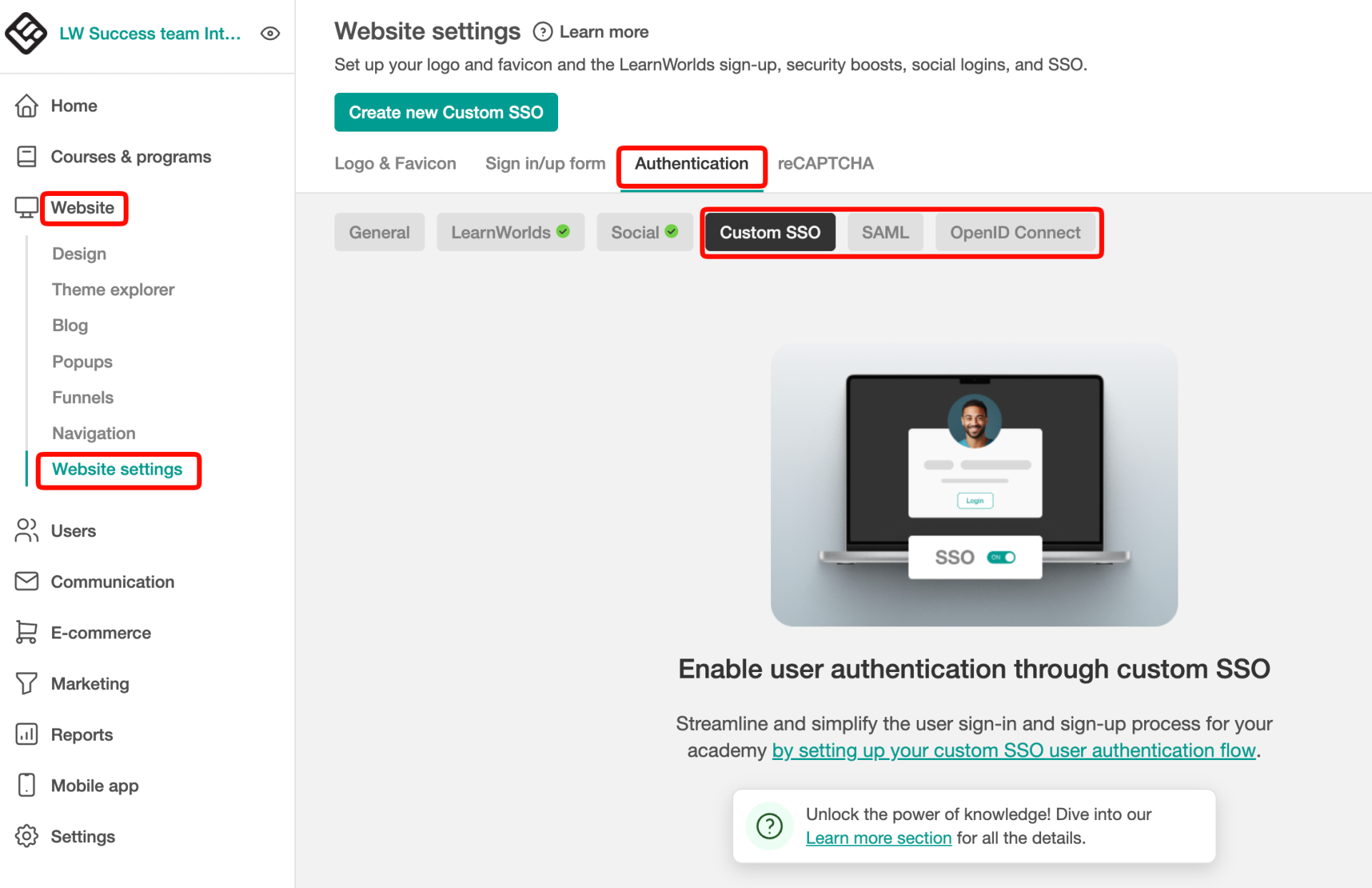
LearnWorlds offers various Single Sign-On (SSO) solutions, including SAML 2.0, OpenID Connect, and custom integrations, to simplify and secure user authentication.
LearnWorlds supports multiple SSO solutions simultaneously - here’s how they will appear on your sign-up and login screens:
Write your awesome label here.
  • Seamless User Experience
  • Better User Management
  • Easy Onboarding at Scale

Manual User Import

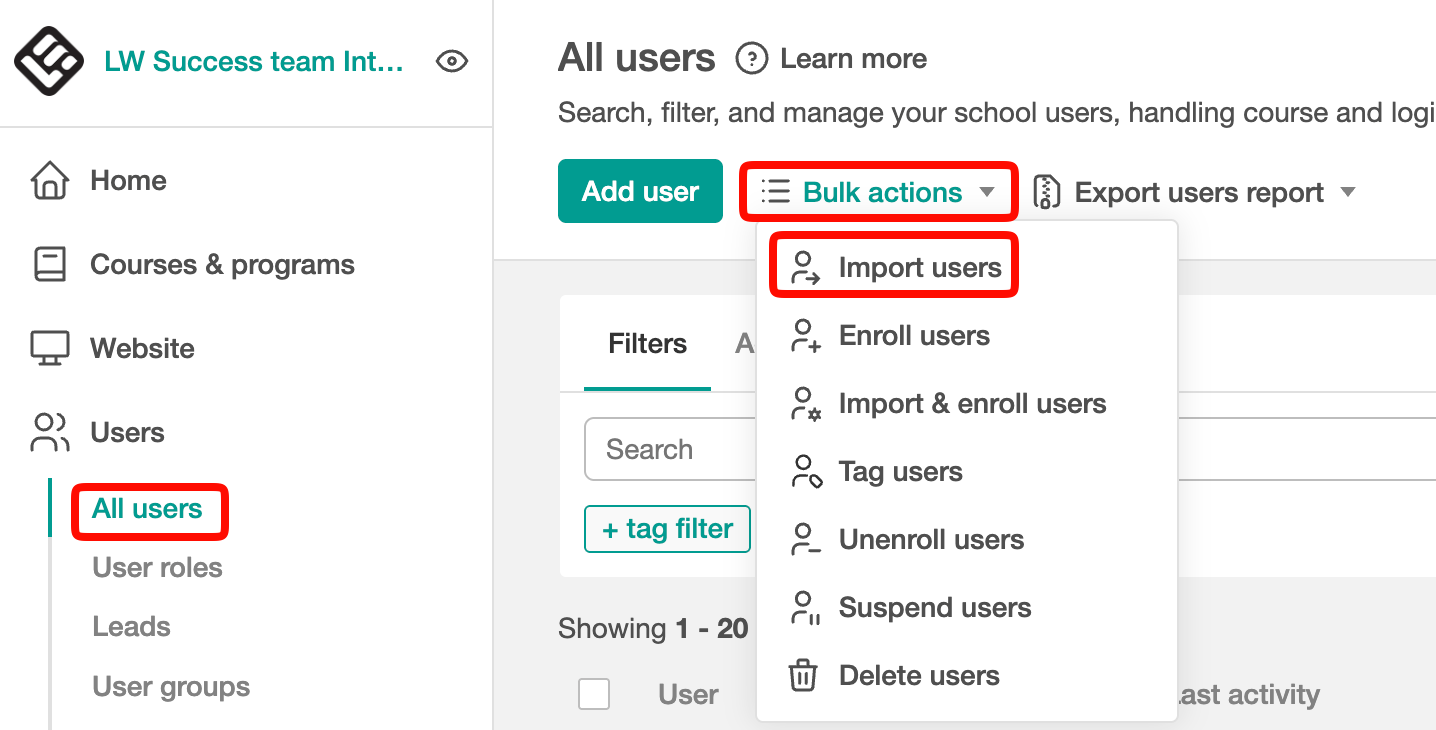
You can manually import your users one by one or in bulk!

API Enrollment

Integrate with your systems for automated user creation and course access.

Private courses

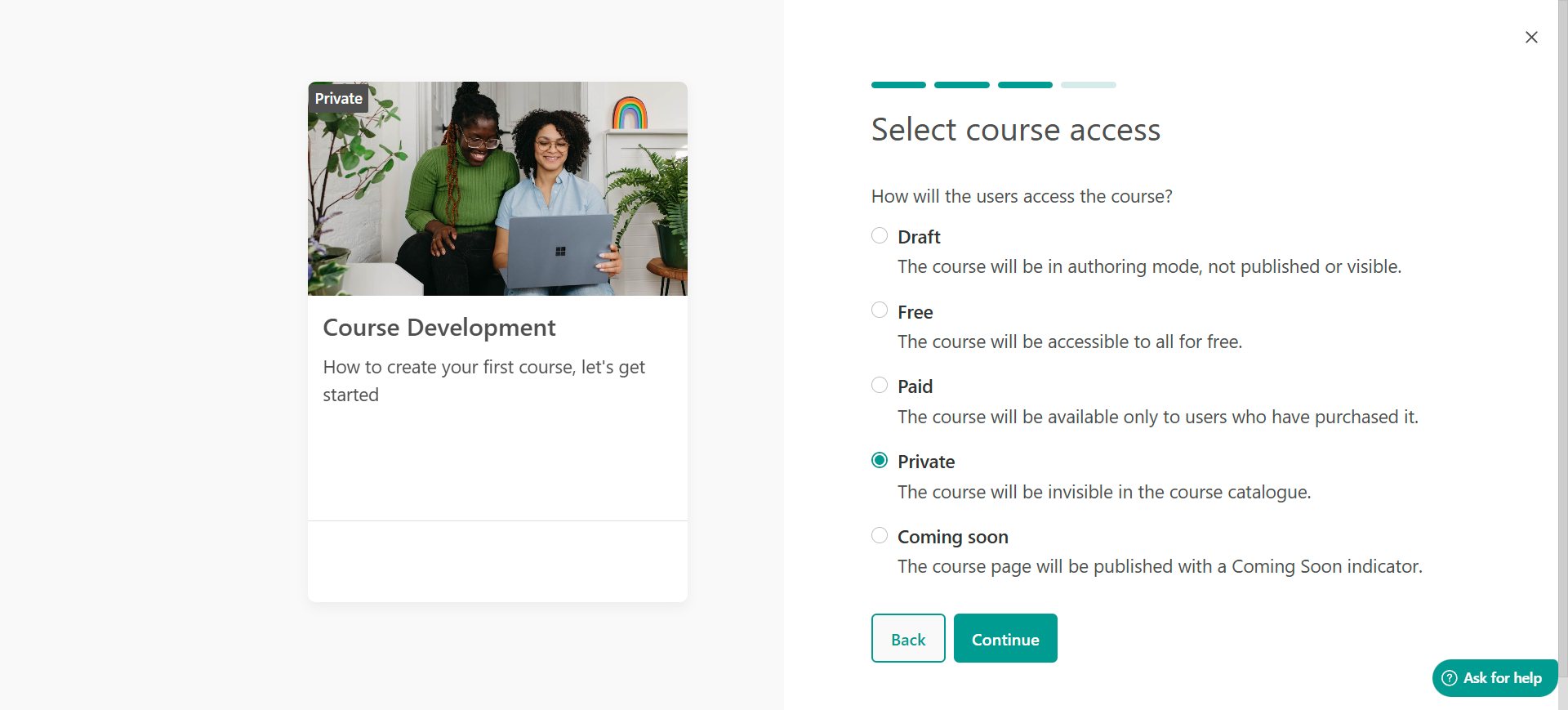
If you'd like to hide courses so only particular users can see them, you can make them private.

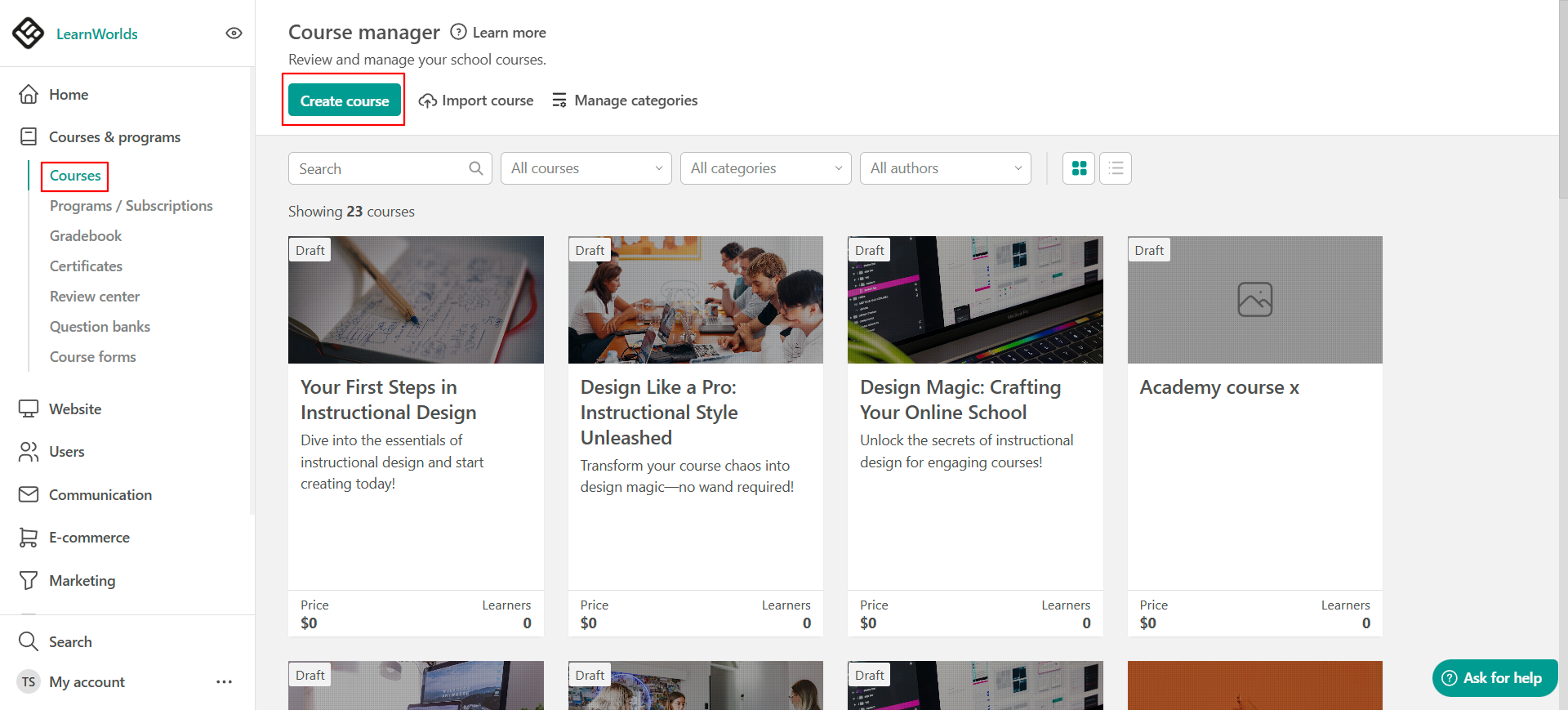
Make your courses private

  • Make courses accessible only to specific students by setting them as private, and enrolling the users who should have access.
  • Private courses are practically “hidden” courses, accessible only to users who have been enrolled in them. This type of course remains unpublished in your course catalog. 

Make your courses private

  • Make courses accessible only to specific employees by setting them as private, and enrolling the users who should have access.
  • Very similar to the "Free access" with the slight difference that only employees who are enrolled in advance will see this course in the course catalogs.

Community - Private Spaces

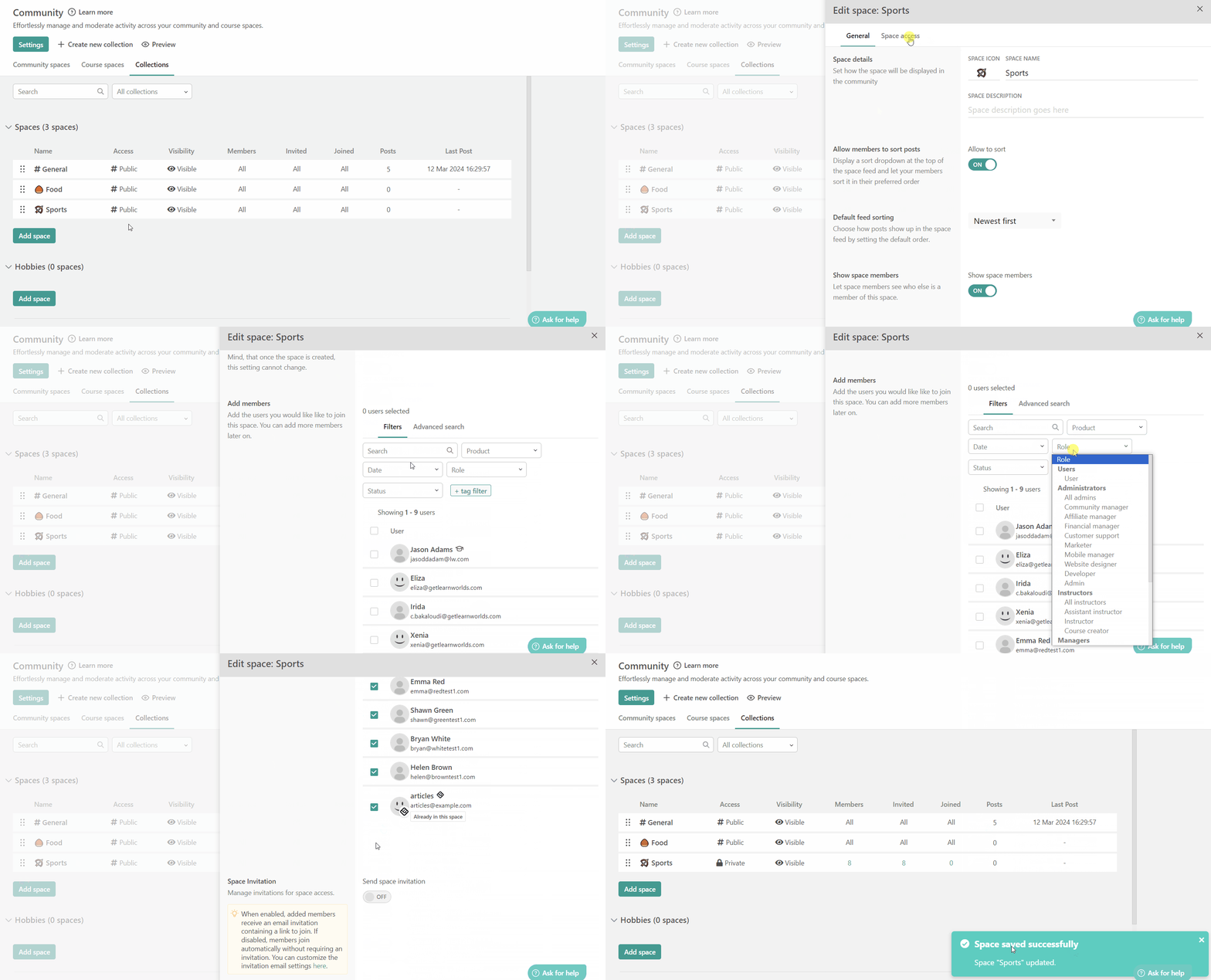
LearnWorlds' Private Spaces feature lets you create secure, exclusive areas for specific groups within your community.
These spaces enable private collaboration, resource sharing, and engagement, with customizable access controls to ensure only authorized users participate
  • Allow Confidential Collaboration for your students
  • Targeted Engagement
  • Customized Access Control
Created with