Understanding Your Audience: Why It Matters

Before you can engage your learners effectively, you need to understand who they are. Collecting the right information about your users allows you to personalize their journey, communicate more meaningfully, and improve engagement and conversion across the board.

Empty space, drag to resize

What kind of information is useful to gather?

  • Demographic details (age, location, role, industry)
  • Experience level with a topic (Beginner, Intermediate, Advanced)
  • How they discovered your academy (ads, referral, blog, etc.)
  • Areas of interest (expressed through form responses or inferred from behavior)
  • Their goals (e.g., “Find a new job”, “Start a business”, “Improve a skill”)
  • Preferred learning styles like “Video-based”, “Reading materials”, “Hands-on projects”, or “Live sessions.”
Empty space, drag to resize

This kind of data helps you:

Segment users for targeted communication
Personalize navigation and course suggestions
Offer relevant upsells or cross-sells
Qualify leads and better understand buyer intent
Encourage engagement by showing users only what matters to them

How to Collect User Data in LearnWorlds

Custom Sign-Up Fields

During sign-up, ask learners for additional information beyond email and password.

Add fields like profession, learning goals, or experience level.

This method works best when you only have a few targeted questions—too many can lead to drop-offs during registration.

Qualification Form

For more comprehensive data collection, the Qualification Form is a flexible, school-wide form that appears the first time a user logs in.

You can:


  • Ask unlimited questions
  • Set each as required or optional
  • Choose to make the form skippable or mandatory

All responses from sign-up fields and the qualification form are stored in the user’s profile card, where admins can view and manage the data at any time.

Tagging Users Automatically

To make your data actionable, LearnWorlds lets you attach tags to users based on how they interact with your site or the answers they provide.

Based on Form Responses

When users answer multiple-choice questions, whether in:

Sign-up forms
Qualification forms
Marketing forms
Course forms
Assessments

...you can automatically tag them based on their selection. For example, users who select "Advanced" experience can be tagged accordingly for targeted content later.

Based on Sign-Up Page or Funnel

You can assign tags to users based on where they sign up or make a purchase.
This includes:

Inline signup forms on specific landing pages
Specific product page payment sections
Funnel steps or checkout pages

This helps you identify where users came from and tailor communication based on their entry point.

Based on Button Clicks

Assign tags when users click on a specific button.

For example, clicking “I’m interested in marketing courses” can trigger a tag like [interested-marketing].

This helps capture intent and personalize future messaging or page visibility.


Works for logged-in users only.

Tagging via User Automations

  Course-Based Triggers

Enrolled/un-enrolled from a course or bundle
Completed a specific activity
Viewed a free preview
Reached X% progress in a course
  Payment-Based Triggers

Used a specific coupon code
Paid an installment
Cancelled a subscription
  Engagement Triggers

Inactive for a certain number of days (in course, school, or app)
  Form & Assessment Triggers

Submitted a form or  assessment
  User Management Triggers

Was added to a user group or
was assigned to a seat offering

These automations let you build dynamic learner profiles that update as users interact with your academy—so you’re always a step ahead in personalizing their journey.

Segmentation & Reports: Organize Your Audience with Precision

Once you’ve collected user information and applied tags, LearnWorlds makes it easy to segment your audience for smart management and deeper insight. Segmentation allows you to group users based on common characteristics, behaviors, or interests—and act on that data with precision.

You can segment users by:

  • Tags (e.g., “beginner,” “marketing-interest,” “corporate-client”)
  • Course enrollment or completion status
  • Group membership or seat offering
  • Assessment results or form responses
  • Activity status (e.g., active vs. inactive learners)

All these filters can be applied directly inside the Users tab or the Reporting tools to:

  • View and export progress reports
  • Monitor completion and engagement across segments
  • Measure learning outcomes for specific groups
  • Export filtered user lists for marketing or operational use
The more you segment, the more precisely you can personalize the experience—and track your academy’s impact.
Write your awesome label here.

Audience-Based Navigation: Create Personalized User Journeys

Every learner is unique—so why send them all down the same path? With LearnWorlds, you can design custom navigation flows based on who the user is, what they’ve done, or what they need next.
Empty space, drag to resize

Using tags and segmentation, you can:

Assign different after-login landing pages for different user groups (e.g., clients vs. internal team)
Toggle visibility of page elements based on tags (e.g., show a promotional banner only to non-paying users)
Design custom menus or page layouts for specific user segments

Direct new users to a "Start Here" onboarding page, while returning users go straight to their dashboard


This kind of dynamic navigation ensures that learners always see what’s most relevant to them—boosting engagement and reducing friction.

Targeted Messaging: Speak to the Right Users at the Right Time

  Generic emails and announcements don’t resonate with today’s learners. With LearnWorlds, you can send tailored messages based on user data, behavior, and interests—ensuring your communication feels personal, timely, and effective.

Write your awesome label here.
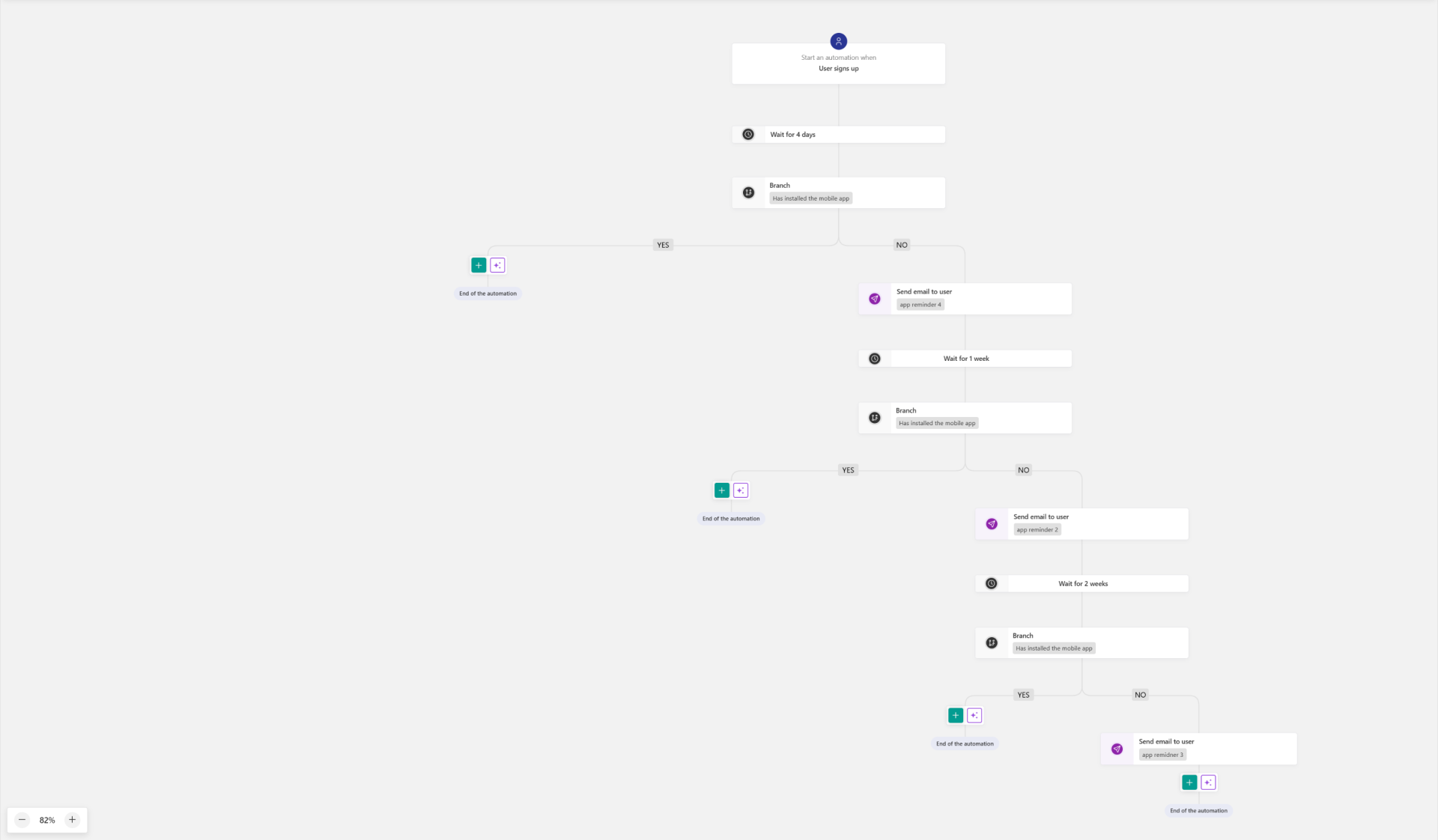
Send onboarding emails based on signup source or intent
Deliver targeted course recommendations
Offer personalized upsells and promotions to interested segments
Notify users of new products based on their tags or past actions
Created with