Welcome to Your Customer Education Onboarding Guide

Thanks again for choosing LearnWorlds — we’re thrilled to support your journey!


This guide is intended to help businesses educate and empower their customers through the LearnWorlds platform.

From product onboarding to advanced learning paths, this guide highlights the key features and strategies you need to create engaging customer training courses with LearnWorlds.

Write your awesome label here.

See what’s included

Discover how each tool works by clicking the tabs below.

Lock signup and website settings

Before going live, consider whether you want to restrict school access to a select audience only, and if so, take steps to secure the website:

Protect your website

Lock free signup to prevent unwanted users from getting access to your academy.
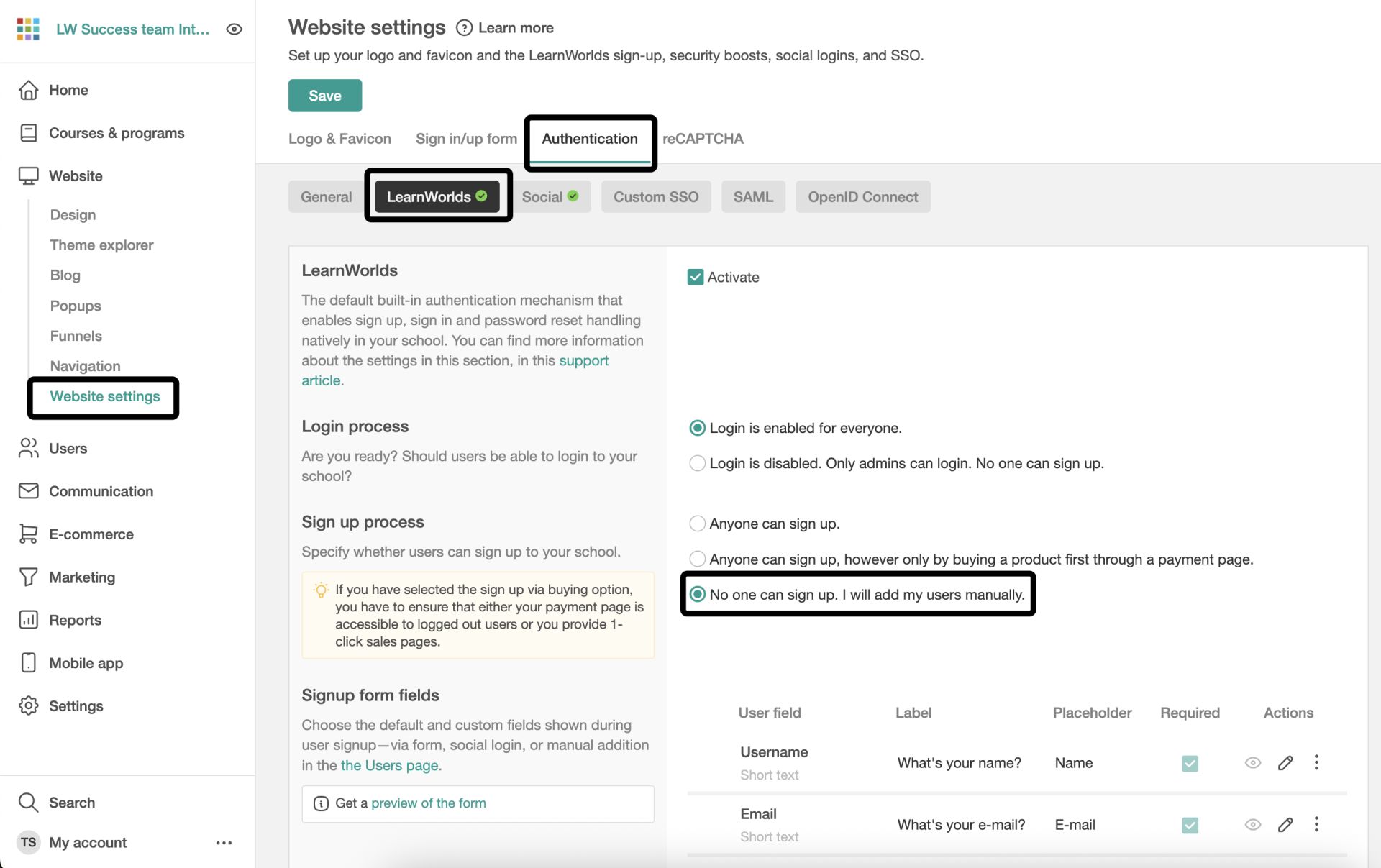
  • Safeguard your content by checking the "no one can sign up" setting.

Enable 2FA

Utilizing two-factor authentication (2FA) will significantly strengthen the security of your LearnWorlds school, fortifying its defenses against unauthorized access attempts.
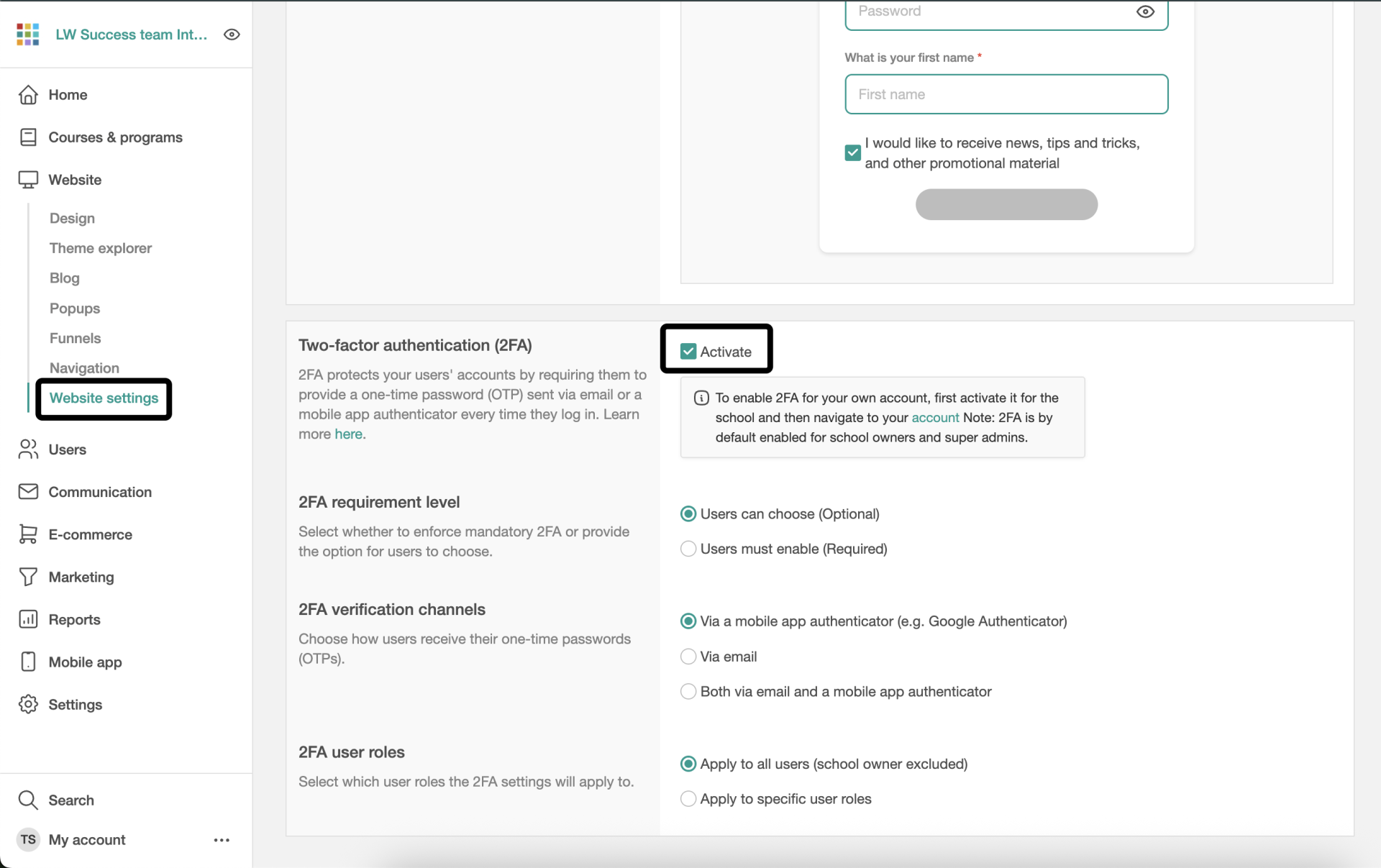
  • Go one step further and secure your website and content by enabling 2FA.

Exclude website from Google's index

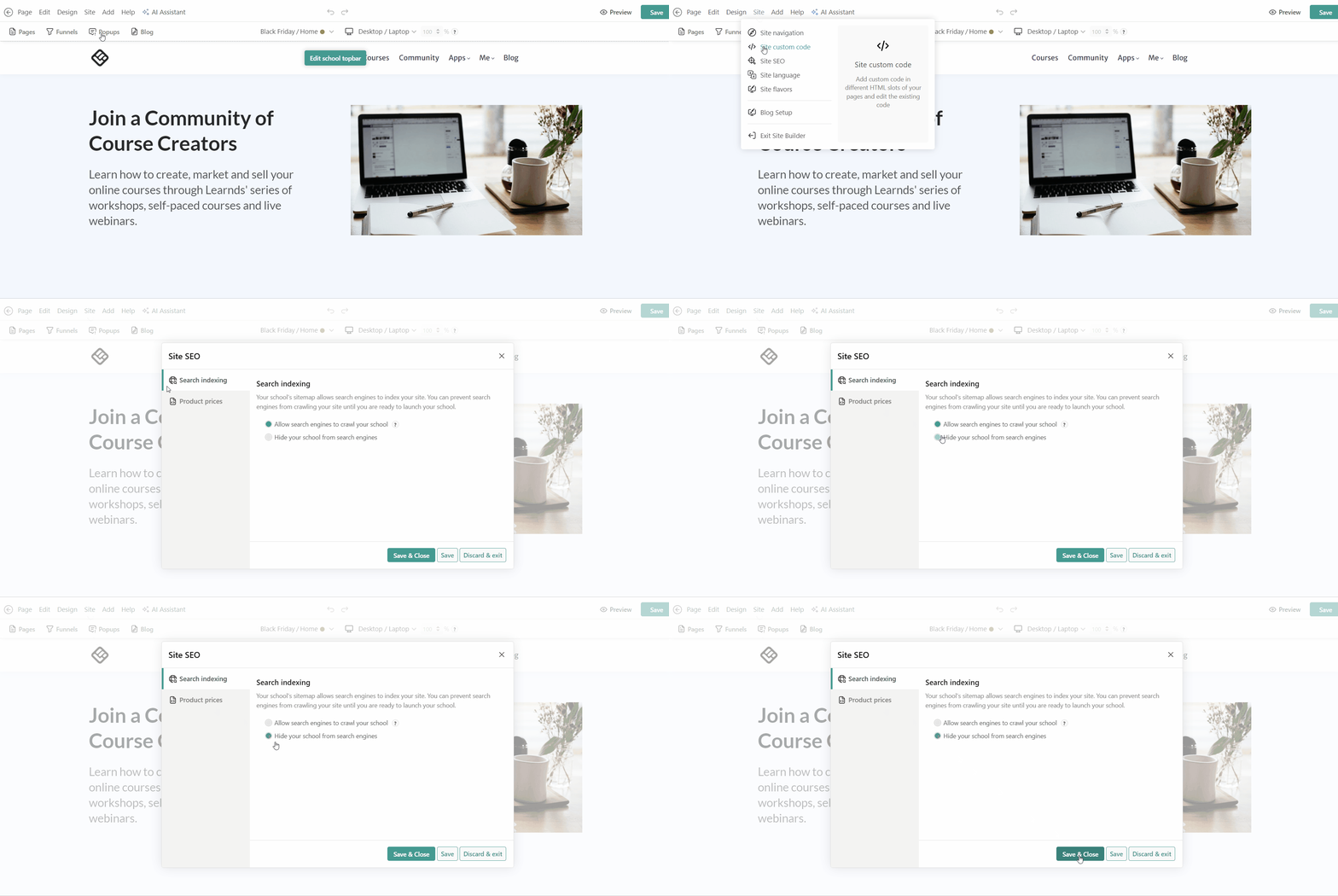
To stop search indexing for your school, navigate to Website → Design → Edit website → Site → Site SEO. Under Search indexing, choose the Hide your school from search engines option.
  • Useful when you want to make your website hidden from search results

Redirect unauthorized users from non-public pages

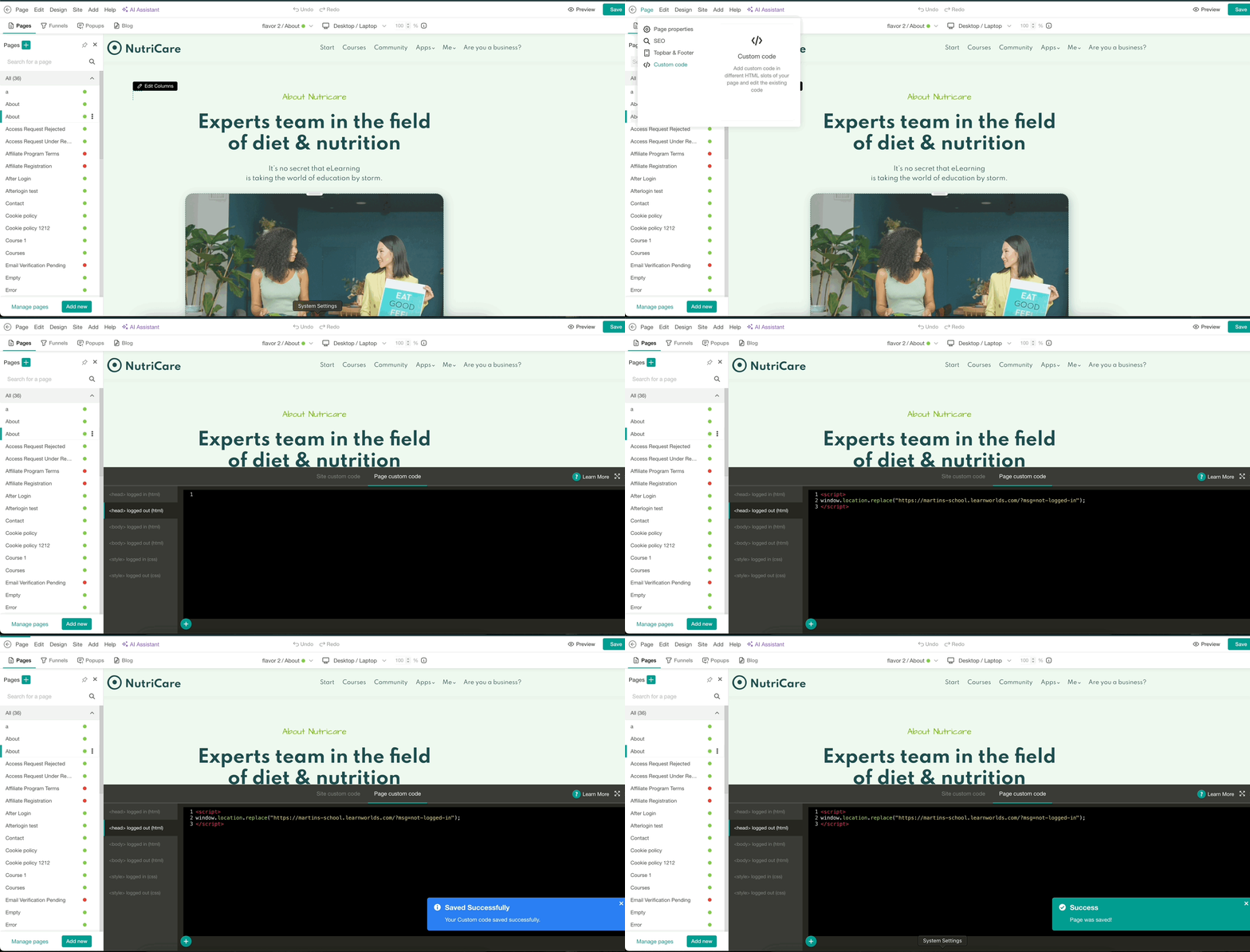
To redirect users from non-public pages you have created, navigate to Website → Design → Edit website. Open the pages you'd like to redirect non-logged-in users from, and navigate to Page → Custom code.
  • Add the code in the "Page Custom code", <head> logged out (html)
  • Copy and paste the code and replace "Your school URL" with the URL of your school.
    <script>
    window.location.replace("your school URL?msg=not-logged-in");
    </script>

    Example:
    <script>
    window.location.replace("https://martins-school.learnworlds.com/?msg=not-logged-in");
    </script>

User sign-in journey

When considering how users gain access to your school and courses, consider the following options:

SSO & Sign up

Utilise SSO (Single Sign-On) if you have an existing platform. Your existing customers can easily access the school using their current credentials.
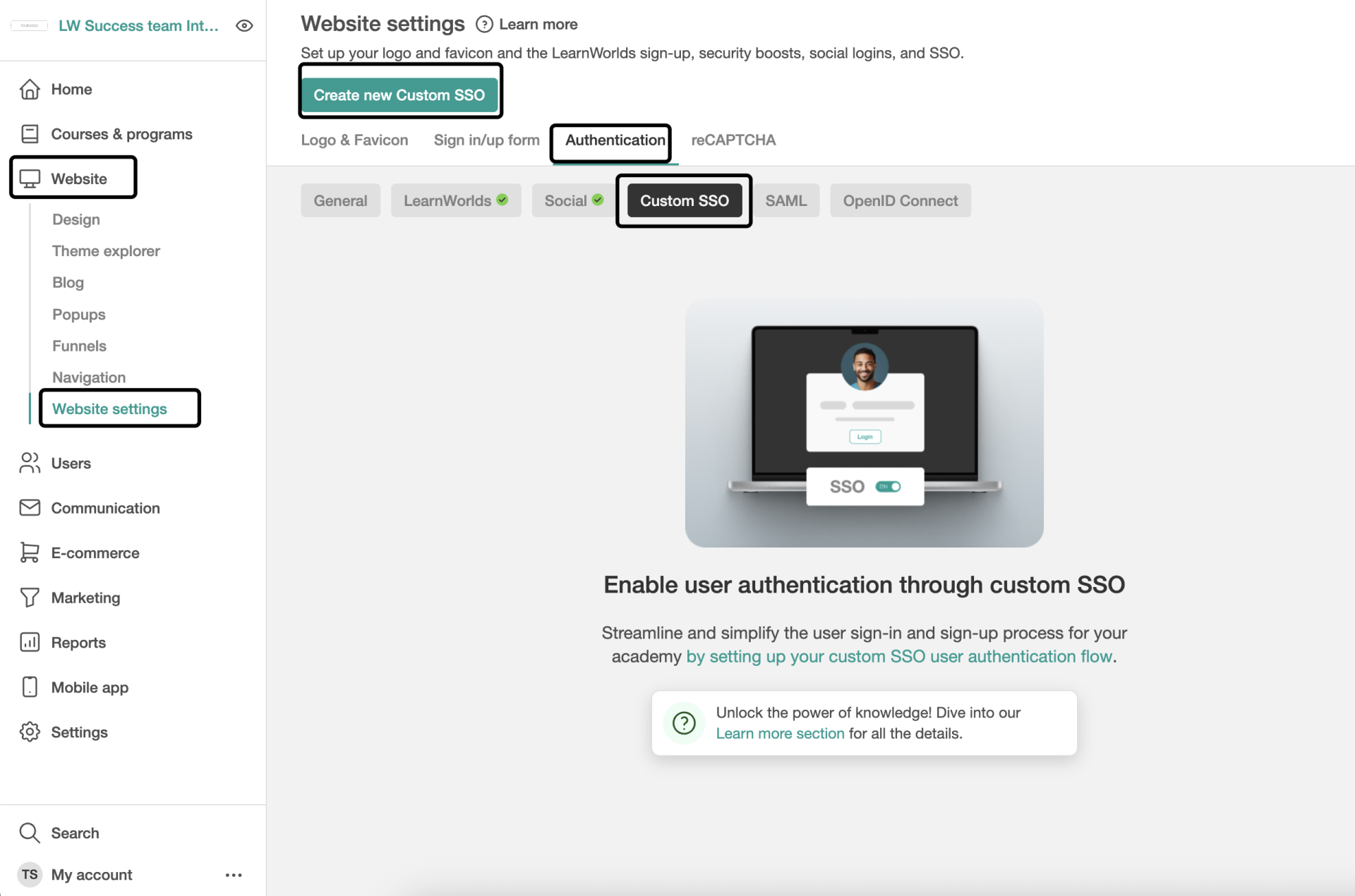
LearnWorlds offers various Single Sign-On (SSO) solutions, including SAML 2.0, OpenID Connect, and custom integrations, to simplify and secure user authentication.
LearnWorlds supports multiple SSO solutions simultaneously - here’s how they will appear on your sign-up and login screens:
Write your awesome label here.
  • Seamless User Experience
  • Better User Management
  • Easy Onboarding at Scale

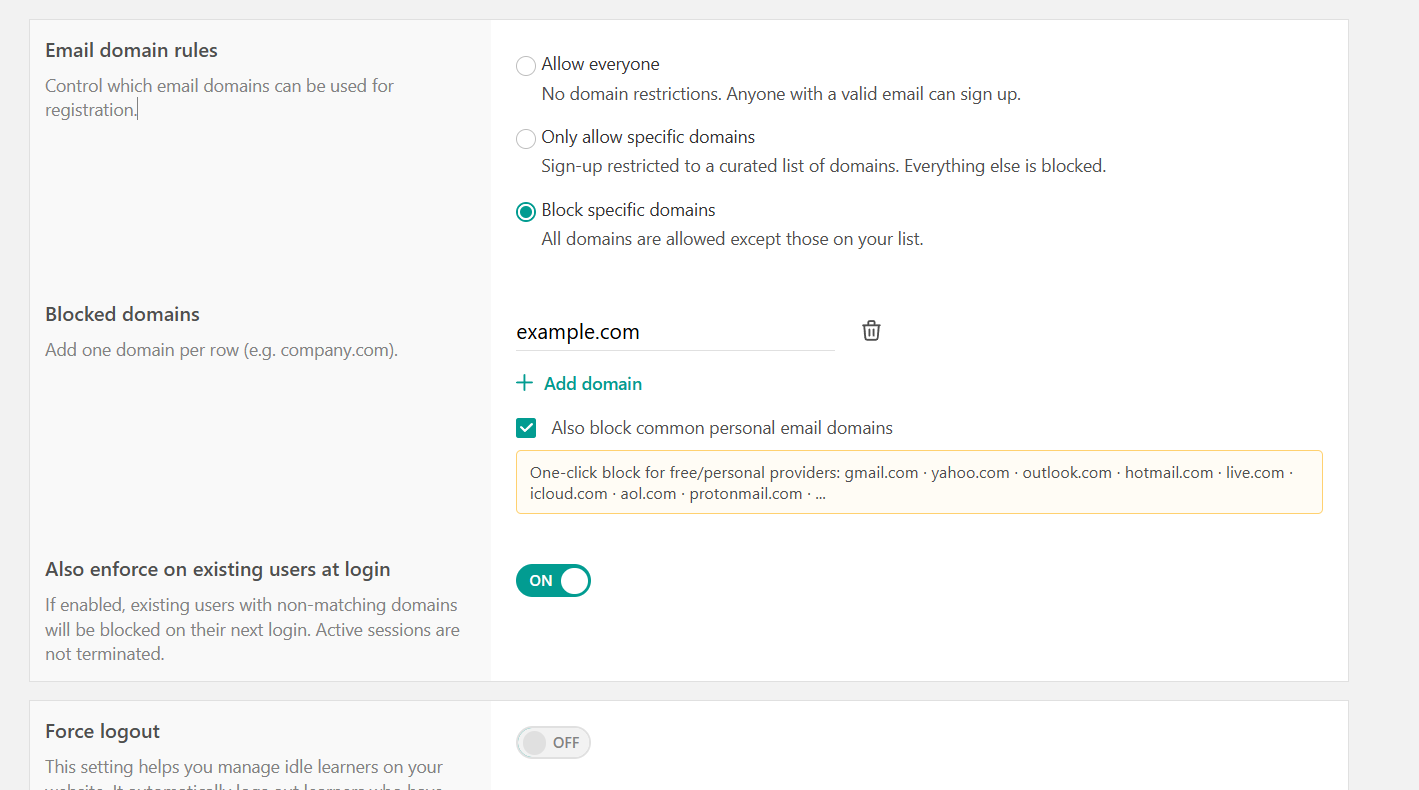
Email domain rules

Use custom rules to control the email domains allowed in or blocked from your school, to ensure access is limited to your customers only.
  • Allow everyone
  • Only allow specific domains
  • Block specific domains

Manual Enrollment

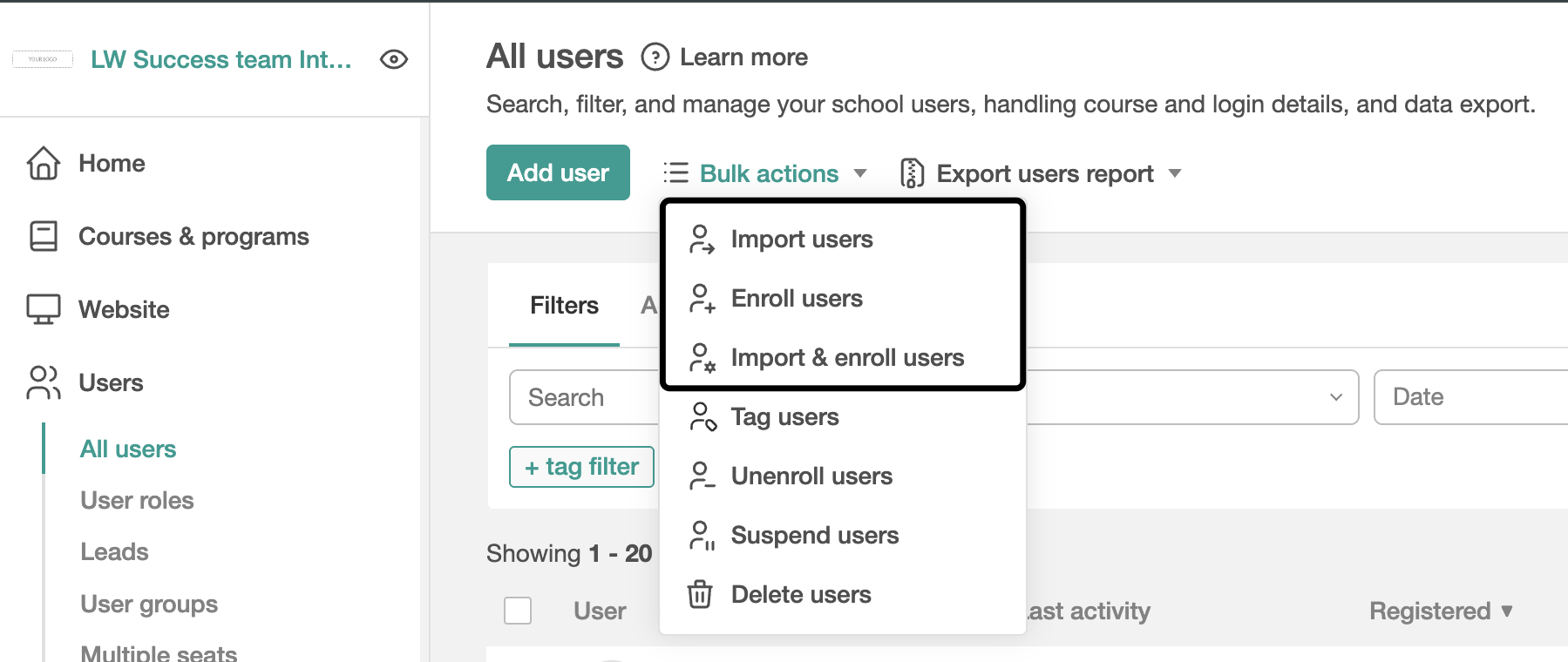
If you don't have an existing platform, and you want to keep control over who has access to your school, you can manually upload your users.
  • Manually add users in bulk by Admin, Seat Manager, or User Group Manager.

API Enrollment

Integrate with your systems for automated user creation and course access.

Personalize the after-login experience

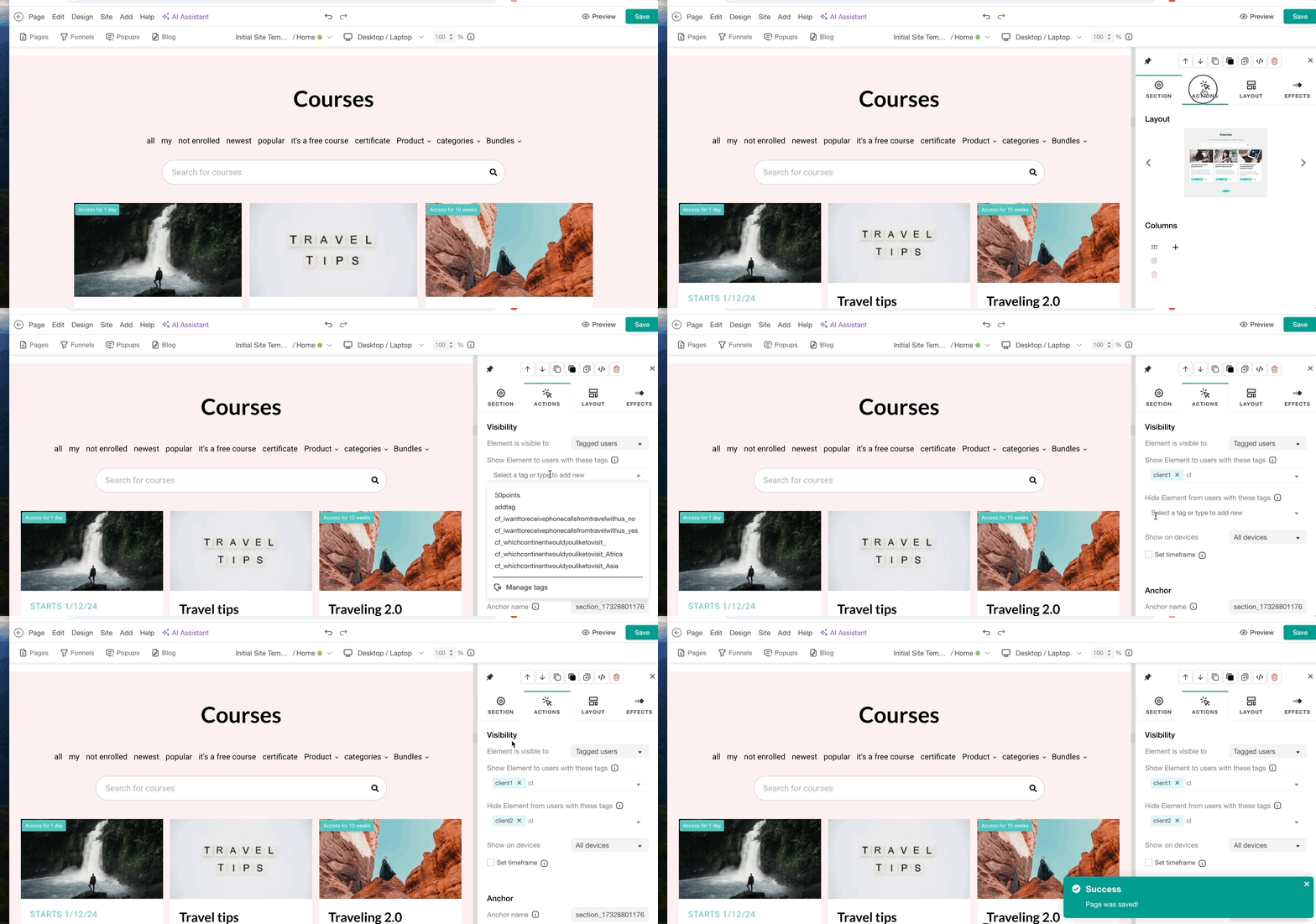
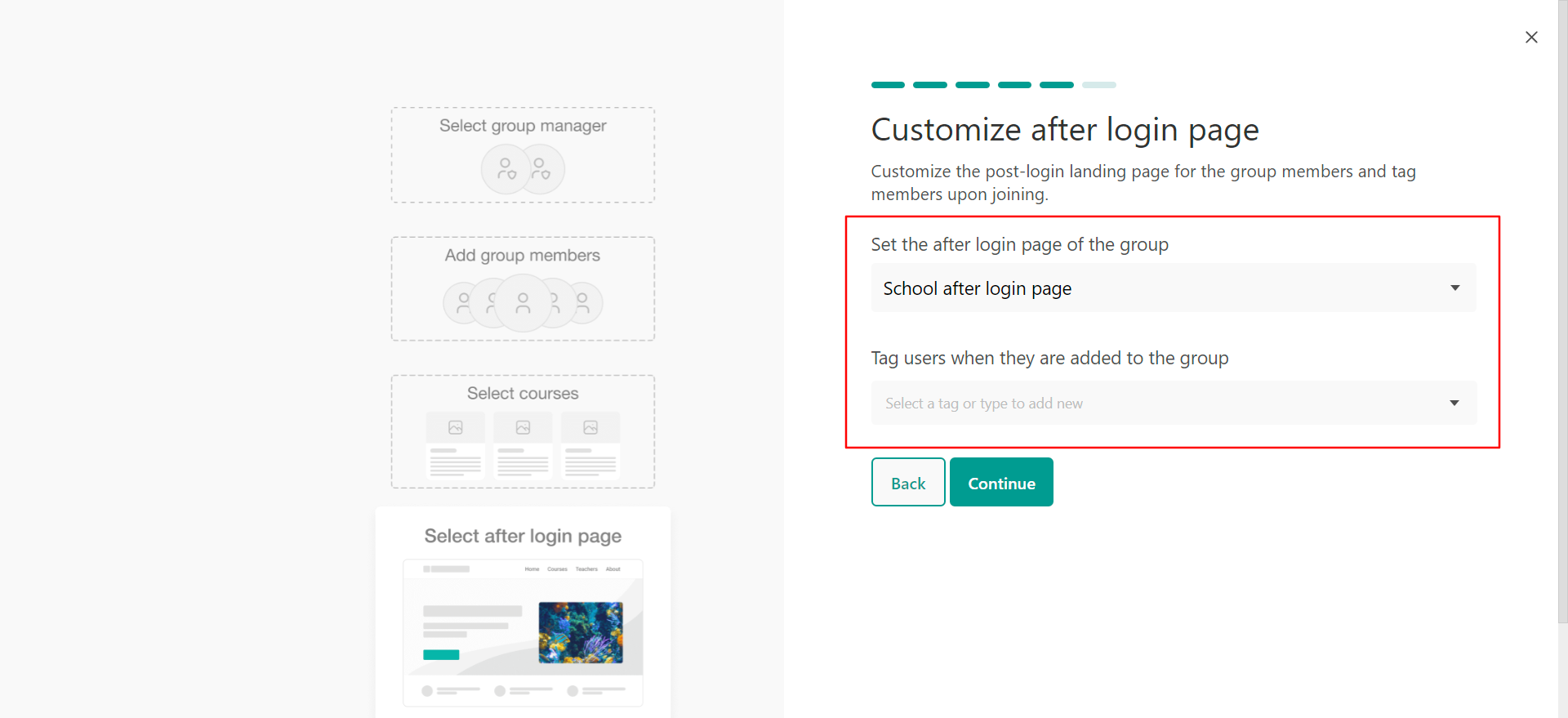
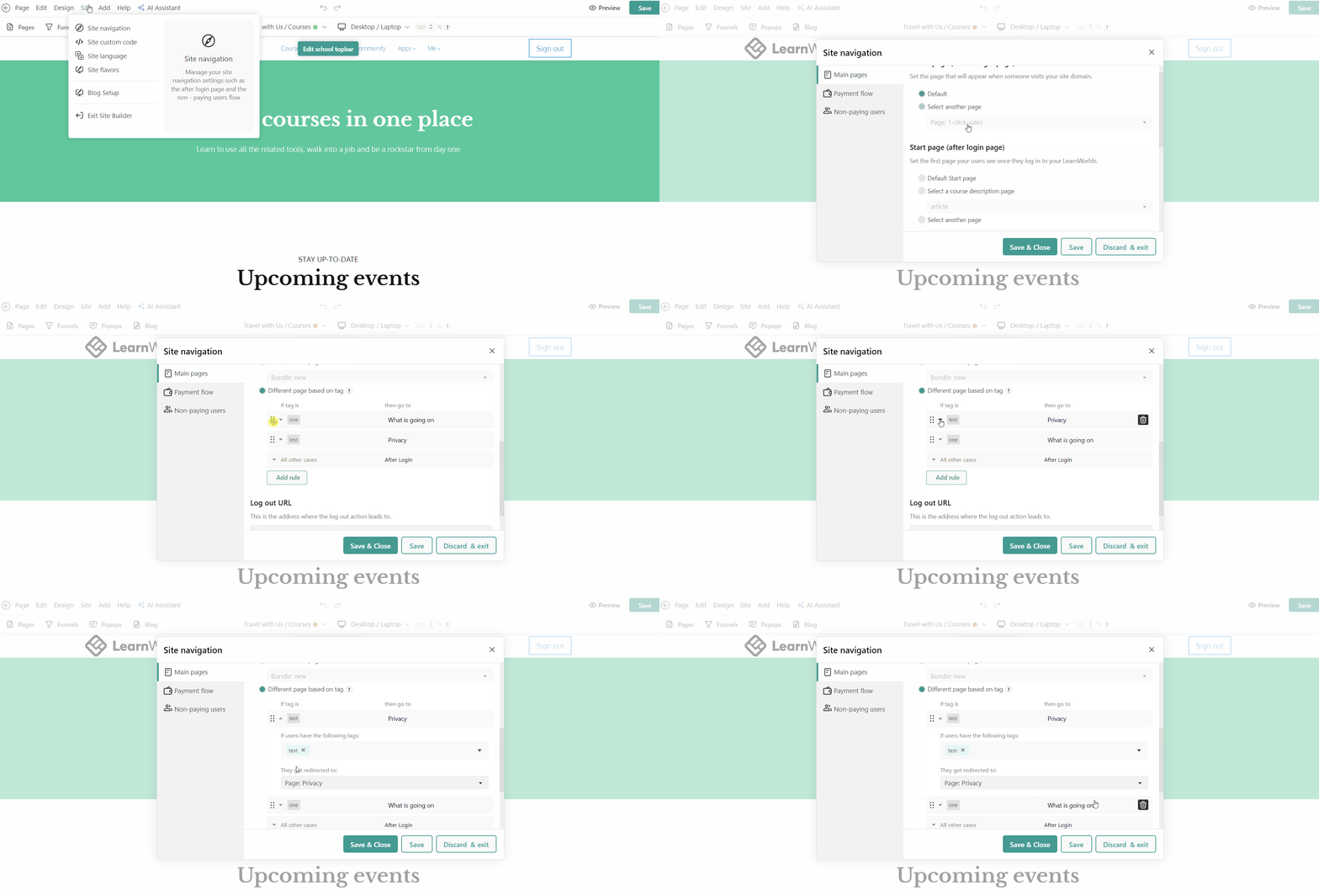
Having different after-login pages allows you to personalize each student's learning journey. This is particularly useful if your company is offering multiple products, each with a separate customer base that needs to go through different courses

Multiple After login pages based on User Groups
Multiple After login pages based on User Tags 
  • Personalized experience for each customer group
  • Relevant content shown to the right users
  • Highlights product-specific courses and resources

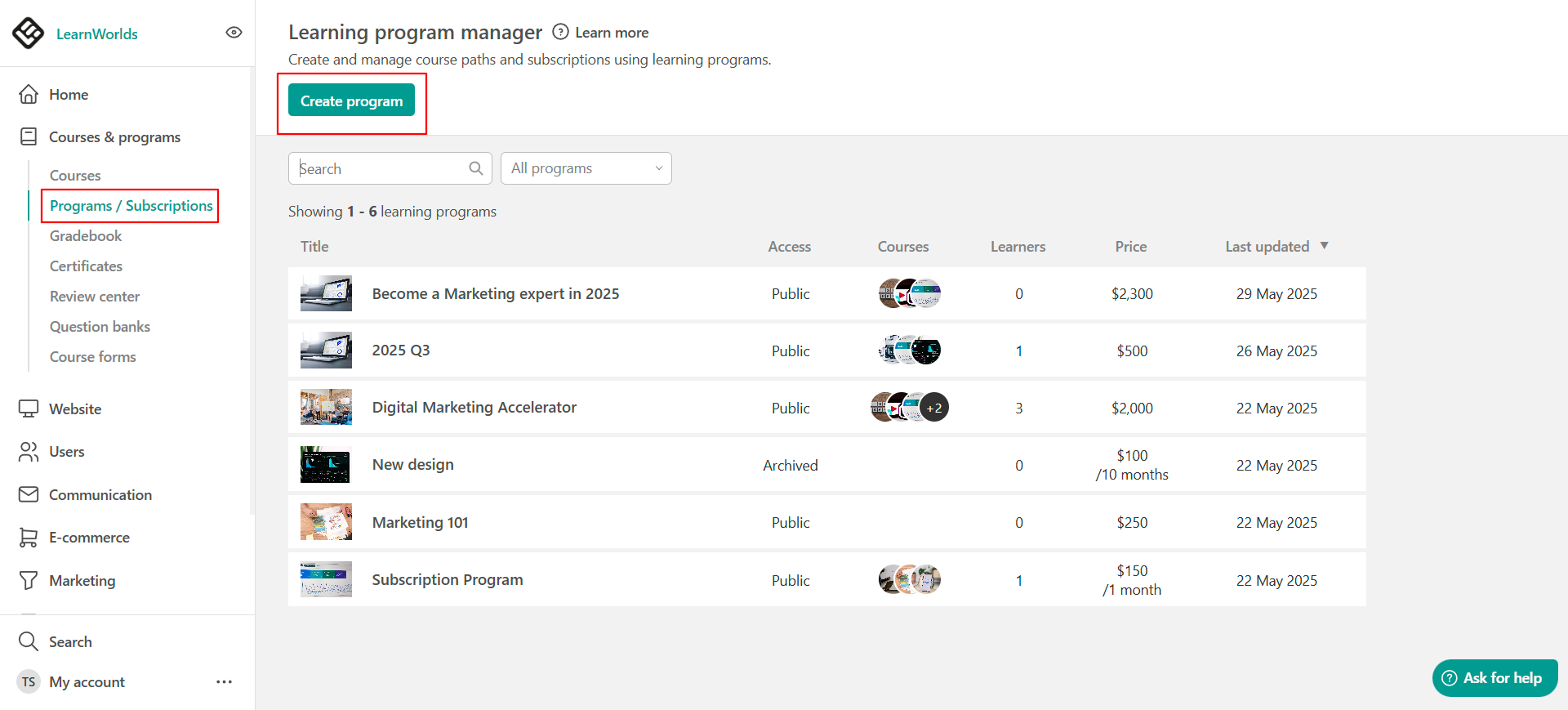
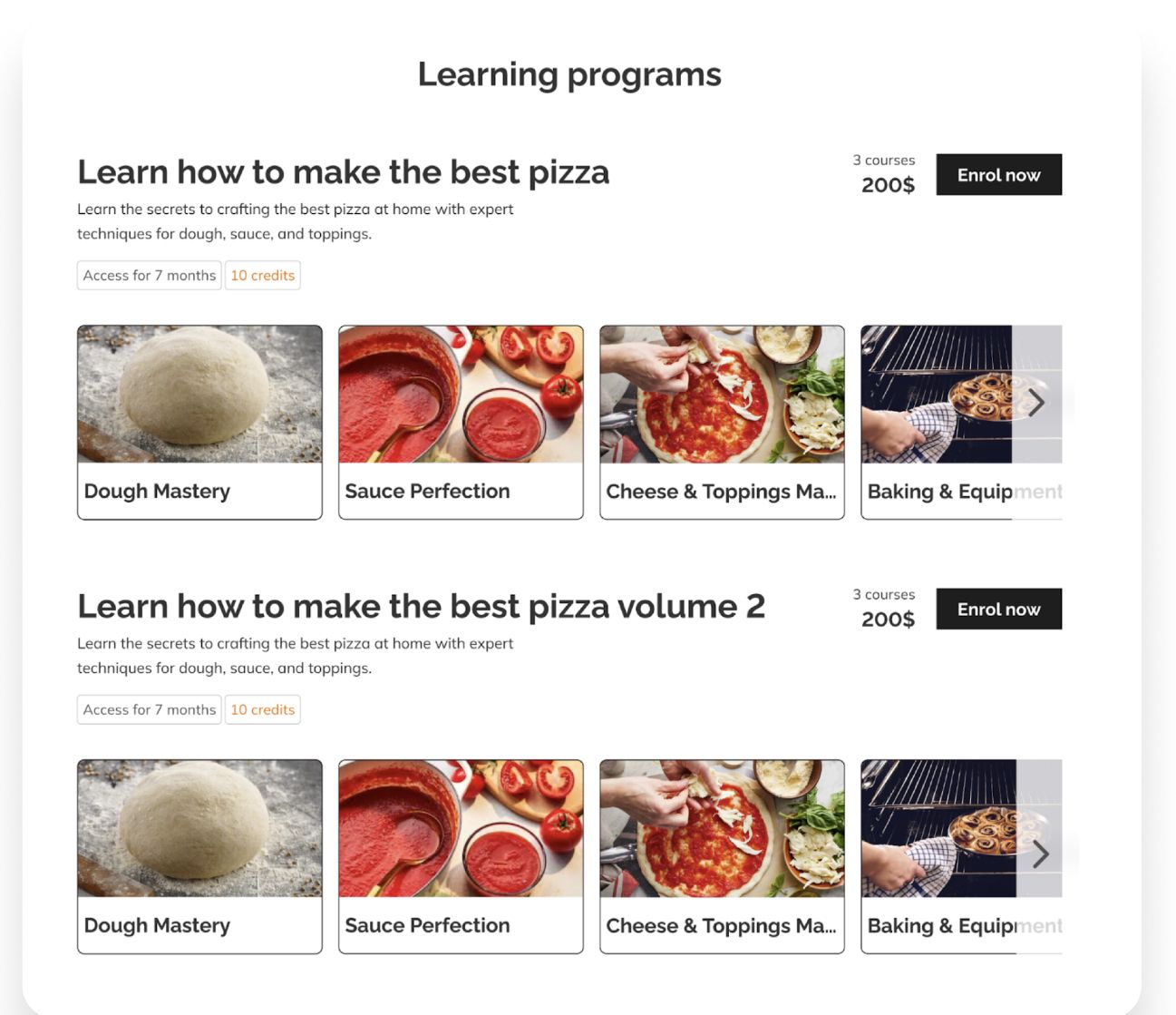
Learning programs

Utilize learning programs if you'd like your customers to take courses in a certain order or if your courses are connected.
  • A Learning Program allows you to group multiple courses and offer them as a single product.

    It’s ideal for:
    • Creating structured learning paths.
    • Ensuring customers go through all courses necessary for a holistic understanding of your product
    • Simplifying the enrollment process for learners. 
  • A Learning Program allows you to group multiple courses and offer them as a single product.

    It’s ideal for:
    • Creating structured learning paths.
    • Packaging related courses into one offer.
    • Simplifying the enrollment process for learners. 

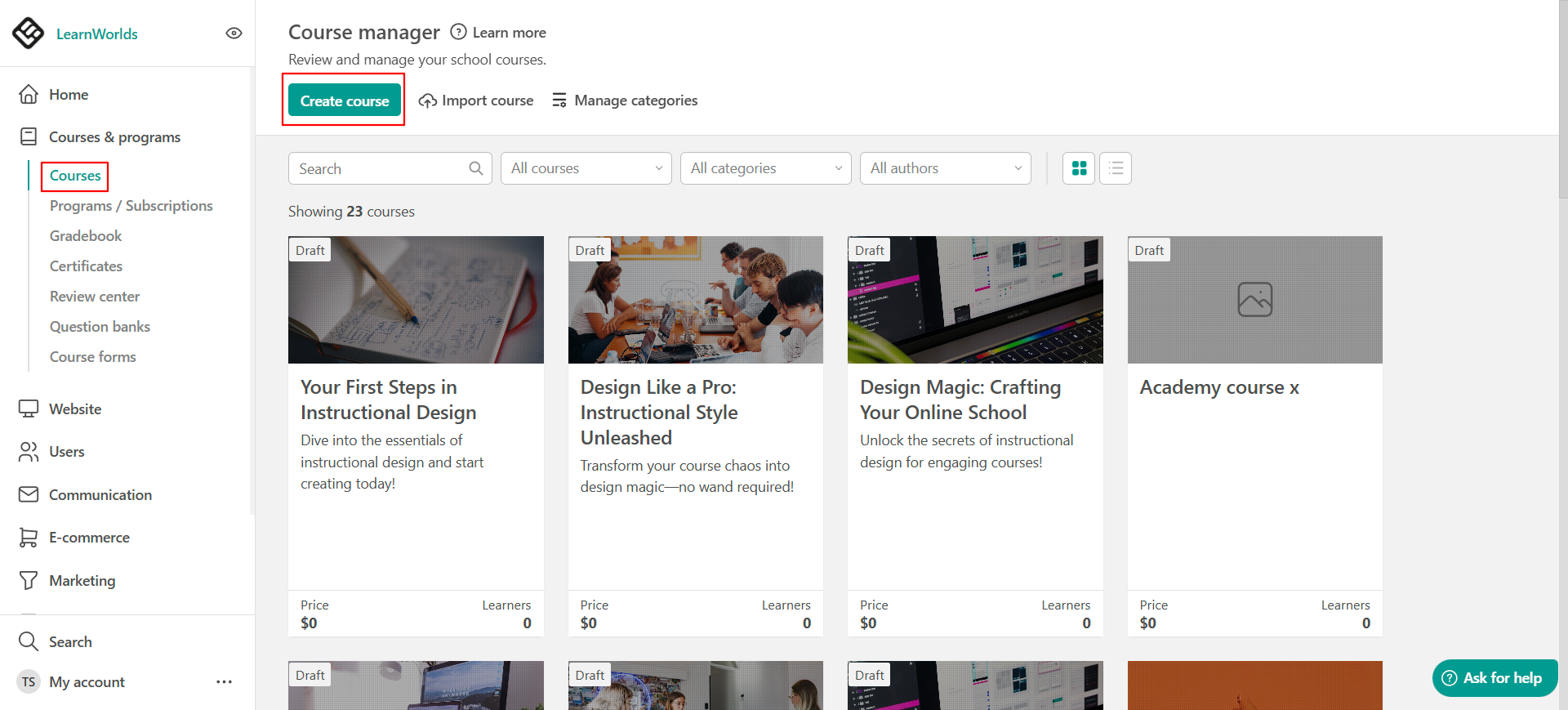
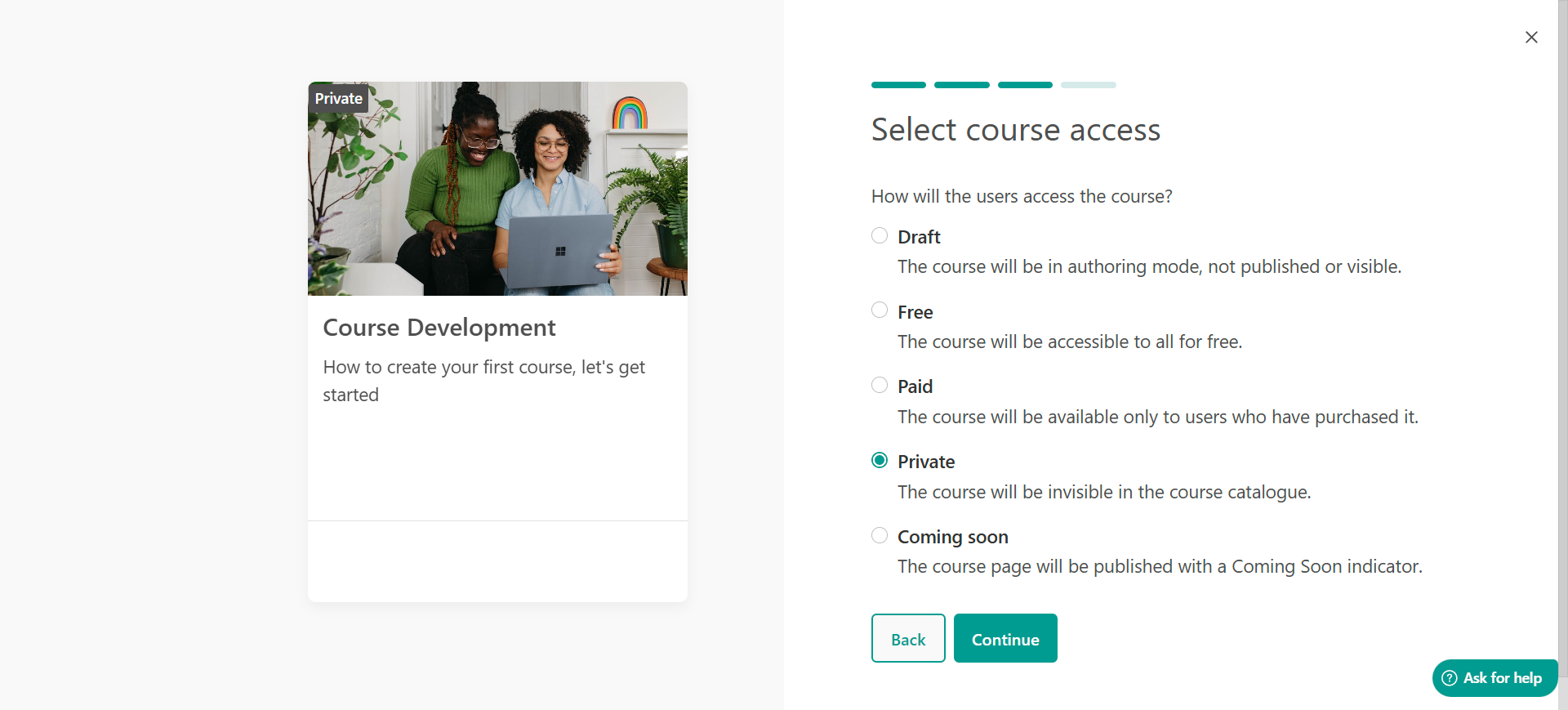
Private courses

If you'd like to hide courses so only selected users can see them, you can make them private.

Make your courses private

  • Make courses accessible only to specific customers by setting them as private, and enrolling only those who should have access.

Make your courses private

  • Make courses accessible only to specific customers by setting them as private, and enrolling only those who should have access.

Tags and visibility

Using tags and visibility rules in LearnWorlds helps you control who sees what, ensuring each user only accesses the content relevant to them. This creates a cleaner, more personalized experience, tailored to your different customer subgroups 
  • Show relevant content to specific users
  • Improve learner focus with filtered content
  • Prevent cross-customer content visibility issues

User Groups and Multiple Seats

The Multiple Seats feature is particularly useful if you want to control how many customers can access your courses at any particular time while allowing business clients to manage their own users. Combining that with User Groups allows you to keep the learning experience focused and concise, as well as take some workload off your school admins

User Groups

Write your awesome label here.

Seat Management

Write your awesome label here.
  • Empower Business Clients with Self-Management
  • Enable Clear, Business-Specific Reporting
  • Maintain client-specific customization

Community and Private Spaces

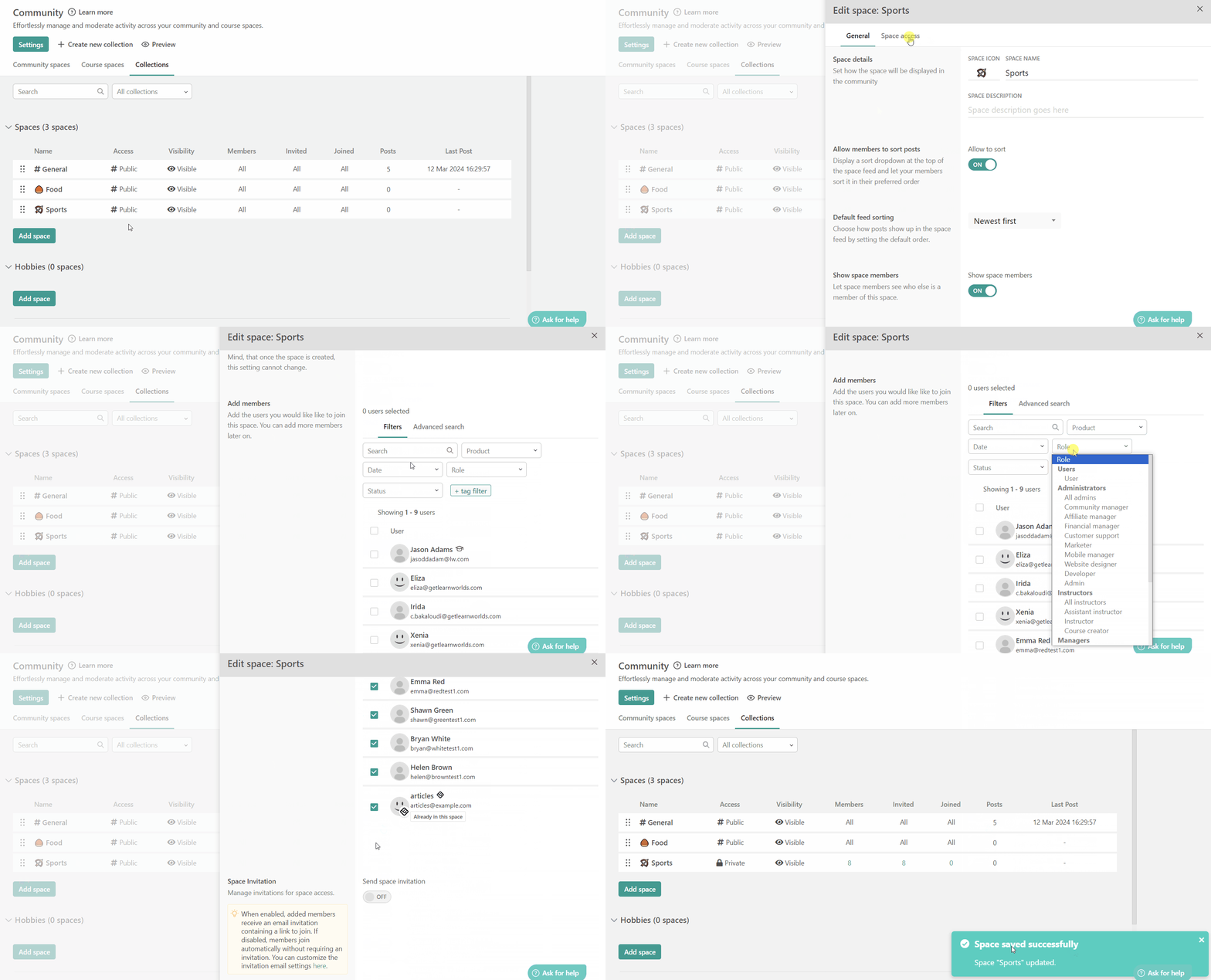
LearnWorlds' Private Spaces feature lets you create secure, exclusive areas for specific customer groups within your community. These spaces enable private collaboration, resource sharing, and engagement, with customizable access controls to ensure only authorized users participate
  • Allow Confidential Collaboration for your Customers
  • Targeted Engagement
  • Customized Access Control

LearnWorlds Academy

Continue your learning journey with the LearnWorlds Academy — our free training hub designed to help you build, launch, market, and scale your academy. Access self-paced courses, practical tutorials, and proven strategies from LearnWorlds experts. Registration is free, and all content is available on demand.

Your step-by-step academy launch plan

Build courses that truly engage

LearnWorlds onboarding essentials

Resources

Here you can find a curated collection of helpful blog articles designed to support and guide you through your LearnWorlds journey.
Whether you're looking for tips, strategies, or insights, these articles will provide you with valuable information to maximize your experience and success on the platform

Our Customer Education Learning Hub: Everything you need to plan, build, and run customer education programs

Sell Online Courses in Bulk with Multiple Seats

Grow your revenue with corporate training: help businesses thrive while expanding your own

Your 2025 Guide to Effectively Selling Corporate Training Programs

How to Create and Sell Profitable Online Courses: Step-by-Step Guide

Introducing: Page Funnels to Drive Your Conversions Forward

Still need help? Check out our experts!
Created with